Most pricing tools calculate a rate for every single day of your calendar, so it is easy to assume you never need to touch anything manually. Then you look at your calendar in early December and realize the algorithm has you priced like it is peak summer, two weeks before Christmas, in a market that goes dead every single year at this exact time.
The fix most hosts reach for is a manual override: go into the calendar, lower the price by hand for that stretch of dates. It works, once. The problem is your base price still drives the rest of the year, so every manual override you stack on top becomes one more thing to remember, track, and eventually forget to remove. A few seasons in, nobody can tell you why a given week is priced the way it is.
Seasonal pricing for Airbnb and Vrbo solves this with a feature most pricing tools support but few operators actually configure: a seasonal profile. It lets you apply a clean, named adjustment to a specific date range (minimum night stay, price multipliers, even check-in rules) without ever touching your base price. The feature exists in PriceLabs and similar tools. The reason most hosts skip it is not that it is hard to understand. It is that building one properly, correctly, season by season, used to take hours. That part just changed.
Key Takeaways
- A seasonal profile applies pricing and stay-rule adjustments to a specific date range without changing your base price for the rest of the year
- Manual calendar overrides solve the same problem short-term, but they pile up and become impossible to audit
- Pricing tools like PriceLabs calculate your daily rate from a base price plus seasonality and demand multipliers; a seasonal profile sits on top of that as a targeted override
- A real seasonal profile usually needs 15-20+ named seasons across the year, not just “summer” and “winter”
- You can now generate a full seasonal profile automatically with a free AI prompt that reads your PriceLabs calendar export
- AI builds the structure; it should never auto-apply pricing decisions without a human reviewing them first
- Seasonal profiles carry forward year to year, but holiday-driven seasons need a one or two day adjustment annually as dates shift
How Pricing Tools Actually Calculate Your Rate
Before seasonal pricing makes sense, it helps to know what your pricing tool is doing underneath the base price field.
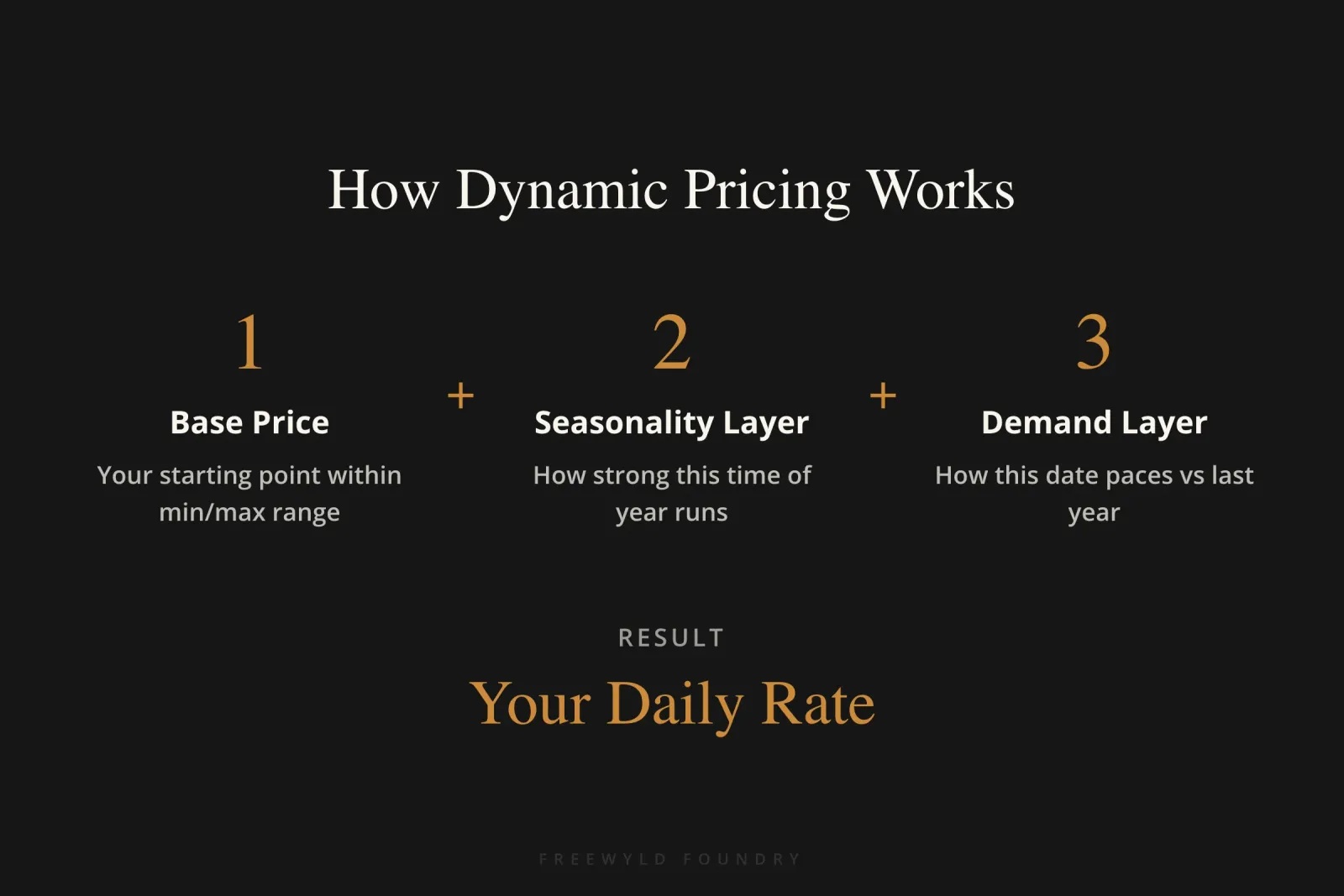
Every major dynamic pricing tool, including PriceLabs, works the same basic way. You set a base price, a minimum price, and a maximum price. The tool will never quote below your minimum or above your maximum, full stop. Within that range, it starts from your base price and layers on multipliers.
The first layer is seasonality: how strong or weak this time of year typically runs in your market. The second is demand, which the tool recalculates constantly by comparing how this specific date is pacing against the same date last year. A date that is booking up fast gets a positive multiplier. A date with no traction gets pushed down. On top of those two, most tools let you stack further custom multipliers: day-of-week pricing, one-night-gap pricing, far-out premiums for dates many months away, and last-minute discounts as a date approaches.
That is a lot of moving parts, and for most of the calendar, it works fine without any extra input from you. The gap shows up at the extremes, the weeks where the standard formula does not match reality for your specific property or market: a slow pocket before a major holiday, a surge around a local event the tool has no data for yet, a stretch where you want tighter minimum-night rules to protect against single-night bookings. Shoulder season pricing is one of the clearest examples of this gap, and it is exactly what a seasonal profile is built to close.
Why a Seasonal Profile Beats a Manual Override
Here is the part that trips people up: changing your base price changes your entire year. If you drop your base price to fix one slow week in January, you have just repriced every week that formula touches, not just the one you meant to fix.
A seasonal profile is a named, date-bound adjustment that sits on top of the standard calculation, active only for the window you define. Want your first three weeks of December priced 15% lower because that stretch is reliably dead in your market? Build a season for exactly that window, set the adjustment, and leave the rest of your calendar untouched.
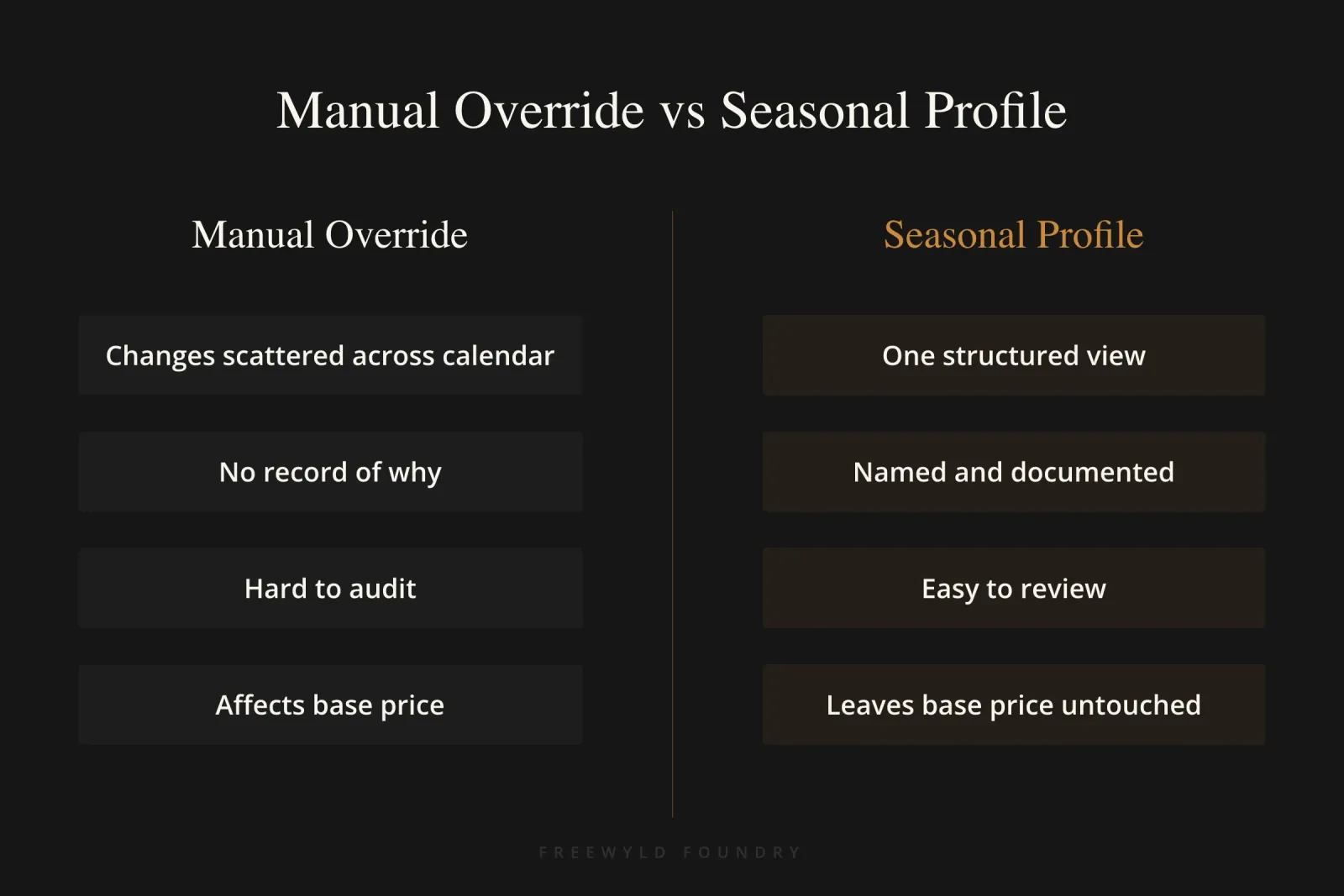
Manual overrides can technically do the same thing, one date range at a time, directly on the calendar. The difference shows up over time. A year of manual overrides turns into a calendar nobody can read: dozens of one-off adjustments with no record of why they are there, easy to forget, and nearly impossible to audit when you are trying to figure out why a specific week is priced the way it is. A seasonal profile is named, structured, and sits in one place, closer in spirit to the kind of portfolio-wide pricing structure that scales past a handful of listings. You can see every season, what it adjusts, and why, in a single view.
This same principle, replacing scattered manual adjustments with a structured, repeatable rule, is behind results like a 22% average outperformance for a portfolio in Alaska once pricing stopped being one flat strategy applied across the whole calendar.
And price is not the only lever. A seasonal profile can also carry its own minimum night stay rule, its own pricing profile, and its own check-in and checkout restrictions, all scoped to just that date range. That means a single seasonal profile can encode an entire strategy for a specific window: shorter minimum stays during a slow shoulder period, longer minimum stays and higher floors around a major holiday, different checkout rules around a local event. Set it once, and it applies every year the season recurs.
Why Most Operators Never Build One
If seasonal profiles are this useful, why do so few operators actually configure them?
Because building one properly is tedious. A real calendar is not just “summer” and “winter.” It is 15 to 20-plus distinct seasons once you account for the actual demand pattern most markets follow: a strong run around New Year’s, a dead stretch through most of January, a bump around MLK weekend, a different shoulder period in February, and so on through the rest of the year. Defining each of those by hand, one at a time, deciding the right adjustment for each, is hours of work most operators keep putting off.
That is the actual barrier. Not understanding the concept. Having the time to sit down and build the thing out properly, season by season, for every listing or group of listings you manage. Seasonal profiles sit in the same bucket as several other PriceLabs features most operators never configure: genuinely useful, rarely touched, because the setup cost looked higher than the payoff.
Building a Seasonal Profile With AI Instead of By Hand
This is the part that changes the math on whether building a seasonal profile is worth the time.
Freewyld Foundry has put together a free prompt, built for Claude, that reads your PriceLabs data and generates a complete seasonal profile automatically. The workflow looks like this:
Step 1: Export your neighborhood data and your multi-calendar from PriceLabs for the listing (or group of listings) you want a profile for.
Step 2: Paste the prompt into a new Claude chat with no other context loaded, then upload both exported files.
Step 3: Claude analyzes the calendar for occupancy and seasonality patterns and builds out a full set of named seasons, typically around 20, covering the whole year: New Year’s, the low-demand stretch in early-to-mid January, MLK weekend, and on through the rest of the calendar.
Step 4: Download the resulting file and upload it directly into PriceLabs under Custom Seasonal Profile.
A couple of setup choices matter here. When uploading, PriceLabs asks whether to apply seasonal adjustments as a percentage or a fixed amount. Percentage is the better default, since it scales with whatever your base price already is for that listing rather than hardcoding a dollar figure that only makes sense for one property. And because PriceLabs requires every season to start on January 1 and end on December 31 within its own definition, a season cannot technically run across the new year boundary, which is why a profile built this way will show a short standalone season for January 1-2 rather than one continuous holiday season running into the new year.
Worth being direct about what the AI-generated profile actually does on upload: nothing, by design. It creates the structure, the named seasons and their date ranges, without baking in any pricing decisions. That is intentional. The seasons exist so you can go in and apply the adjustments you actually want, whether that is a price change, a different minimum night stay, or different check-in and checkout rules.
“Never trust AI 100%. AI always needs human oversight. You want to go through and see if this actually makes sense. It probably will, but you might want to make some adjustments.” — Jasper Ribbers
That is the standard worth holding AI to anywhere it touches dynamic pricing for Airbnb: it should do the tedious structural work so you can spend your time on the judgment calls, not make unsupervised decisions on your calendar.
Once the structure is in place, you can also ask the AI directly for recommendations: which seasons should run at a lower base price, which should run higher, and what the minimum price should look like for each. That conversation is a starting point for your own review, not a final answer to upload blind.
What a Seasonal Profile Can Control Beyond Price
A season in your profile is not limited to a price multiplier. For any season you define, you can also set:
- A different minimum night stay requirement
- A dedicated pricing profile (its own last-minute pricing rules, its own occupancy-based adjustments)
- Different check-in and checkout restrictions
- An independent minimum and maximum price, separate from the rest of the calendar
That range matters more than it sounds. A holiday season might call for a longer minimum stay and a higher price floor. A dead shoulder-season window might call for a shorter minimum stay to pick up last-minute single-night bookings, paired with a lower price floor to stay competitive. Both are seasonal profile settings, applied to the exact window you define, left alone everywhere else on your calendar.
The One Thing These Profiles Need Every Year
Seasonal profiles are not a one-time setup. They carry forward automatically into future years, which is most of the benefit, but holidays do not fall on the same calendar dates every year.
Take Thanksgiving. This year it might fall on dates that put your high-demand season at the 25th through the 28th. Next year, the holiday shifts, and that same season needs to move by a day or two to match. If you do not make that small adjustment, next year’s Thanksgiving pricing ends up a day off, either giving away a high-demand night at a discounted rate or leaving a lower-demand night priced too high.
The fix takes minutes: once a holiday-driven season passes each year, update its date range for the following year before you forget. Everything else about the profile, the demand-driven and non-holiday seasons, generally does not need annual maintenance.
How to Implement This in Your Own Calendar
Step 1: Pull your current calendar and mark the windows where you know pricing is off, either from memory or from looking at past performance: a slow pocket before a major holiday, a surge you did not capture last year, a stretch where your minimum night stay rules do not match actual demand.
Step 2: Export your PriceLabs neighborhood data and multi-calendar for the listing or group you want to start with.
Step 3: Run the free AI prompt against those exports to generate a full seasonal profile structure.
Step 4: Upload the result to PriceLabs as a Custom Seasonal Profile, set to percentage-based adjustments.
Step 5: Go season by season and apply the adjustments that match what you already know about your market: price multipliers, minimum night stay, pricing profile, and check-in/checkout rules where relevant.
Step 6: Ask the AI for base price and minimum price recommendations per season as a starting point, then review every one before anything goes live.
Step 7: Set a reminder to revisit holiday-driven seasons once a year and shift their dates to match the new calendar.
Frequently Asked Questions About Seasonal Pricing for Airbnb
What is seasonal pricing for Airbnb?
Seasonal pricing for Airbnb is a pricing strategy that adjusts your nightly rates based on predictable demand patterns throughout the year. Instead of using one base price for all dates, seasonal pricing applies different rates for peak seasons, shoulder seasons, and low-demand periods. Most dynamic pricing tools like PriceLabs support seasonal profiles, which let you set these adjustments without manually changing prices on your calendar.
How do I set up seasonal pricing in PriceLabs?
To set up seasonal pricing in PriceLabs, export your neighborhood data and multi-calendar, then use an AI tool like Claude to generate a custom seasonal profile based on your market’s occupancy patterns. The AI itself takes only a couple of minutes to build the full profile. Upload it to PriceLabs as a Custom Seasonal Profile using percentage-based adjustments, then review each season and apply your desired price multipliers, minimum night stays, and check-in rules, the part that used to take hours when done entirely by hand.
Should I use percentage or fixed amount for seasonal pricing adjustments?
Percentage-based seasonal pricing adjustments are better for most Airbnb hosts because they scale with your base price. If you set a 20% increase for peak season as a percentage, it works correctly whether your base price is $100 or $300. Fixed amount adjustments only make sense for one specific property at one specific price point, which makes them harder to maintain and scale across multiple listings.
How often should I update my seasonal pricing profile?
Update your seasonal pricing profile annually for holiday-driven seasons, since holidays like Thanksgiving shift dates each year. Non-holiday seasons based on general demand patterns (like summer or winter) usually do not need annual changes. Set a calendar reminder after each major holiday to adjust next year’s date range by one or two days to match the new calendar.
Can seasonal profiles control minimum night stays and check-in rules?
Yes, seasonal pricing profiles in PriceLabs can control minimum night stays, check-in and checkout restrictions, pricing profiles, and independent minimum and maximum prices for each season. This means you can set a 3-night minimum for peak holiday weekends, a 1-night minimum for slow shoulder periods, and different last-minute pricing rules for each season, all within the same seasonal profile.
How many seasons should my Airbnb pricing profile have?
A complete seasonal pricing profile typically needs 15-20 named seasons to match real demand patterns throughout the year. This includes major holidays, shoulder periods, slow stretches, and local events. Most hosts start with just “summer” and “winter,” but markets have much more granular demand shifts (like a dead zone in early January after New Year’s, or a bump around MLK weekend) that require separate seasonal adjustments to maximize revenue.
Ready to stop leaving money on the table?
Get your free revenue report and we’ll analyze your property’s performance and show you exactly where your pricing strategy can improve. We manage $220M+ in bookings across 4,000+ listings, and we’ll show you what’s possible with professional revenue management.
Listen to the Full Conversation
This article was informed by a conversation on the Get Paid for Your Pad podcast, where Jasper walks through building a seasonal profile live, prompt and all.