Ask most hosts how they picked their minimum night stay settings and you’ll get some version of the same answer: longer stays for the holidays, shorter ones otherwise, set by gut feeling. A data-driven Airbnb minimum night stay strategy sets different minimum stay rules for each season of the year, based on how guests in your specific market book, instead of one default rule applied year round. The gut-feeling version isn’t wrong exactly. It’s just almost always too restrictive, and it stays that way because nobody goes back and checks it against what guests are doing.
That’s fixable now with a free AI prompt that reads your own PriceLabs data and builds the strategy for you. This article walks through how it works, the exact logic behind the recommendations it produces, and how to put the result into PriceLabs.
Key Takeaways
- Most minimum night stay settings are set by gut feeling and end up too restrictive, which caps your bookable nights without anyone noticing
- A data-driven Airbnb minimum night stay strategy needs two inputs: your PriceLabs length of stay export and, optionally, your seasonal profile
- One default minimum stay rule for the whole year is rarely optimal; different seasons book differently
- A free AI prompt turns that data into named, season-specific minimum stay profiles, typically five per market
- The AI explains its reasoning using real thresholds, like what share of bookings in your market are one-night stays
- Check-in and check-out restrictions for holidays need a small annual adjustment, since they’re set to a day of the week, not a fixed date
- The pain of a blocked night is visible; the extra bookings a looser minimum stay brings in usually aren’t, which is why most operators stay too restrictive
Why Most Minimum Stay Settings Are Just a Guess
A lot of operators who come to Freewyld Foundry for revenue management already have a minimum stay setup in place. It usually looks something like this: a 5-night minimum 90 days out, a 4-night minimum at 60 days, a 3-night minimum at 30 days, and a 2-night minimum inside the final 30 days.
That setup is almost never optimal, for a simple reason: it ties your minimum stay to how far out you are from check-in, not to the season. A rolling 30/60/90-day window treats your dead stretch in February exactly the same as Christmas week, because both are “30 days out” at some point. Demand doesn’t work that way. A low season week and a peak holiday week need different rules, not the same rule applied on a timer.
The fix isn’t complicated: define your Airbnb minimum night stay strategy by season first, then let it loosen as check-in approaches within each season if that makes sense for your market. That’s a different structure than a rolling window, and it only works if you know how each season books.
What PriceLabs Length of Stay Data Shows
Most operators skip the one report that answers this question directly: PriceLabs already has the data, most hosts just never pull it. Inside your market dashboard (a $10-a-month add-on, worth far more than that if you use it), there’s a report called Length of Stay and Booking Window Trends.
That report shows two things at once. First, the full distribution of length of stay in your market: how many one-night stays get booked, how many two-night stays, how many three-night-plus stays. Second, and just as useful, when each of those stay lengths gets booked relative to check-in. A market can have plenty of one-night stays and still make a 1-night minimum a bad idea everywhere, if those one-night stays mostly show up in the final two weeks before arrival.
To get a usable sample, pull the data over a full year rather than the short default window, and download it as a CSV. If you have specific house rules, a property that can never take a 1-night stay, for example, note that as well, since the AI prompt accounts for it when it’s given.
Building the Airbnb Minimum Night Stay Strategy With Claude
This is where the free AI Kit prompt comes in. Freewyld Foundry built it specifically to turn that length of stay export, plus your PriceLabs seasonal profile if you have one, into a full minimum stay strategy.
Step 1: Start a brand-new Claude chat with no other history loaded, so it’s reasoning only from the data you give it.
Step 2: Get the prompt for free at freewyldfoundry.com/ai-kit and paste it in.
Step 3: Export your length of stay and booking window trends CSV from PriceLabs Market Dashboards, going back a full year.
Step 4: Upload your seasonal profile too, if you have one, either per listing or account-wide. Without one, Claude can still give you a high-level minimum stay recommendation for your market, just not broken out by season.
Step 5: Add any house rules that aren’t optional, no 1-night stays ever, no check-ins on a specific weekday, anything like that.
Step 6: Claude analyzes the data and returns a full minimum stay strategy: a recommended base rule, a release schedule for loosening it as check-in approaches, and its reasoning for each one, cited against your own market’s numbers.
If you’re not on PriceLabs, the same approach works with Beyond, Wheelhouse, or any other pricing tool, you’ll just need to locate the equivalent length of stay export in your own platform. The logic behind the prompt doesn’t depend on PriceLabs specifically, only the data does.
The Five Seasonal Minimum Stay Profiles AI Recommends
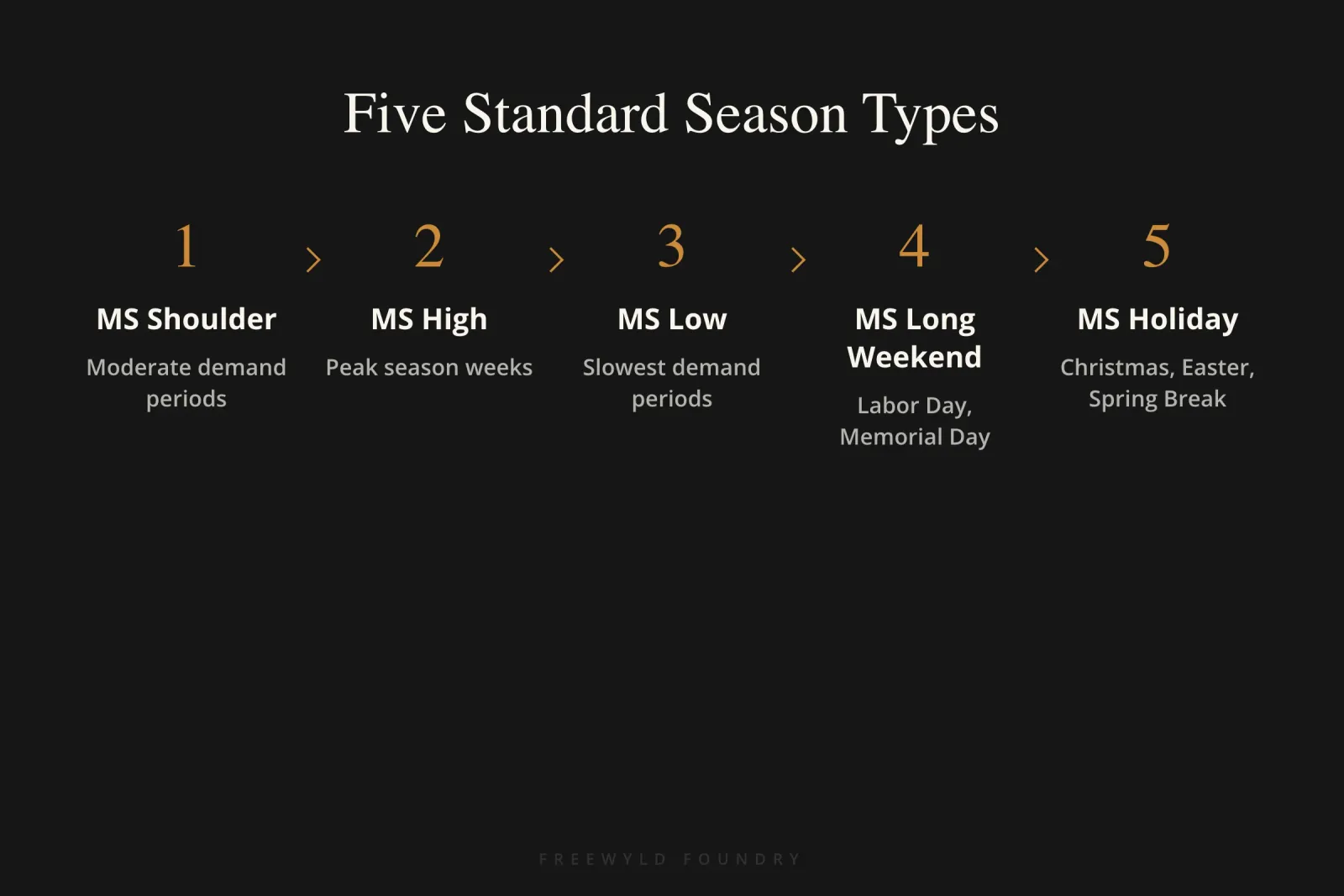
Run against a real market (Idyllwild, California, in this case), the prompt didn’t return one minimum stay rule. It returned five, one per season type that shows up in nearly every market: MS Shoulder, MS High, MS Low, MS Long Weekend, and MS Holiday. That structure fits most portfolios, since almost every market has a shoulder season, a high season, a low season, higher-demand long weekends (Labor Day, Memorial Day, Presidents Day), and holiday weeks (Christmas, Easter, spring break) that behave differently from the rest of the calendar.
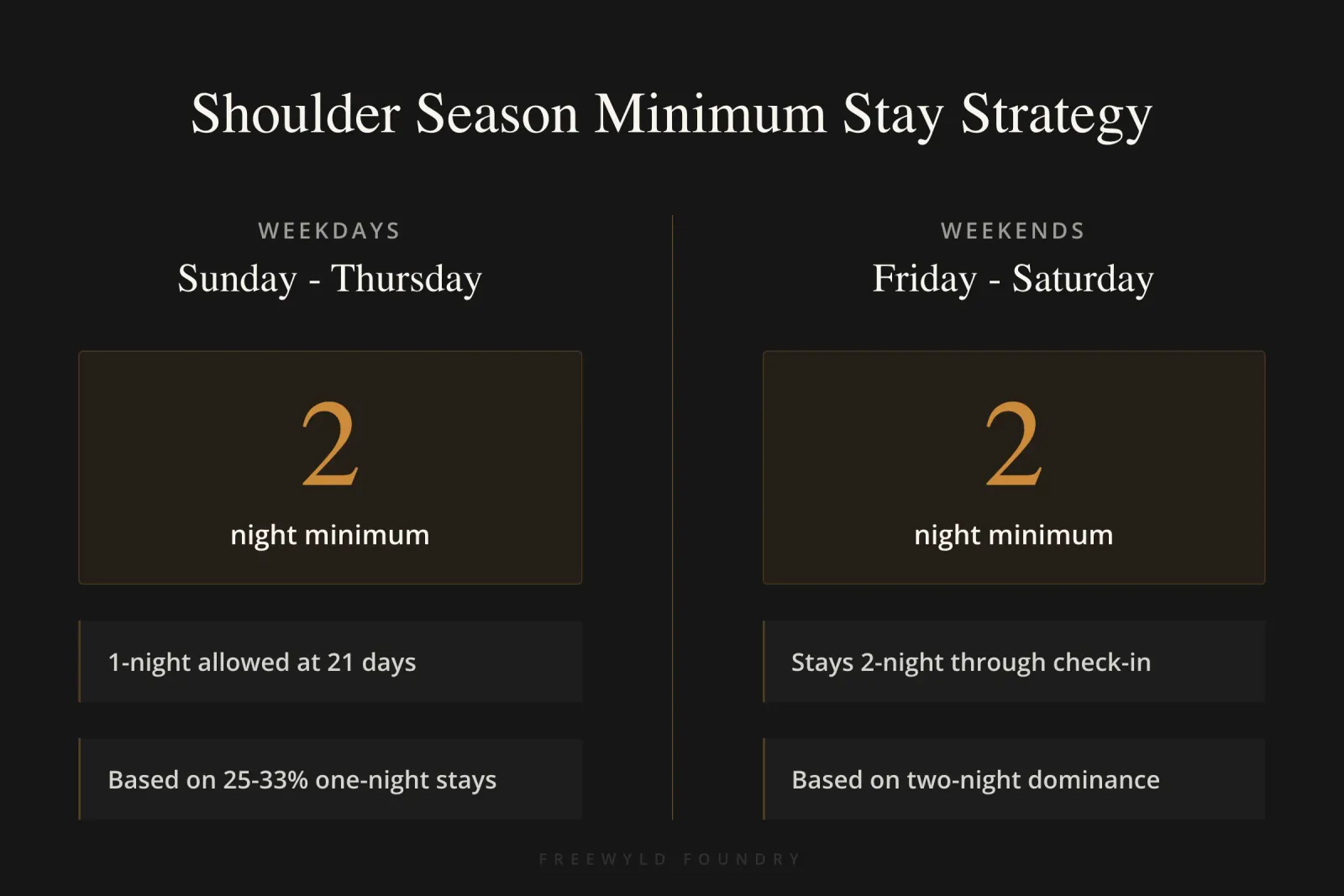
For the shoulder season specifically, the recommendation came back as: a 2-night minimum Sunday through Thursday, a 2-night minimum Friday and Saturday, and 1-night stays allowed starting 21 days before arrival.
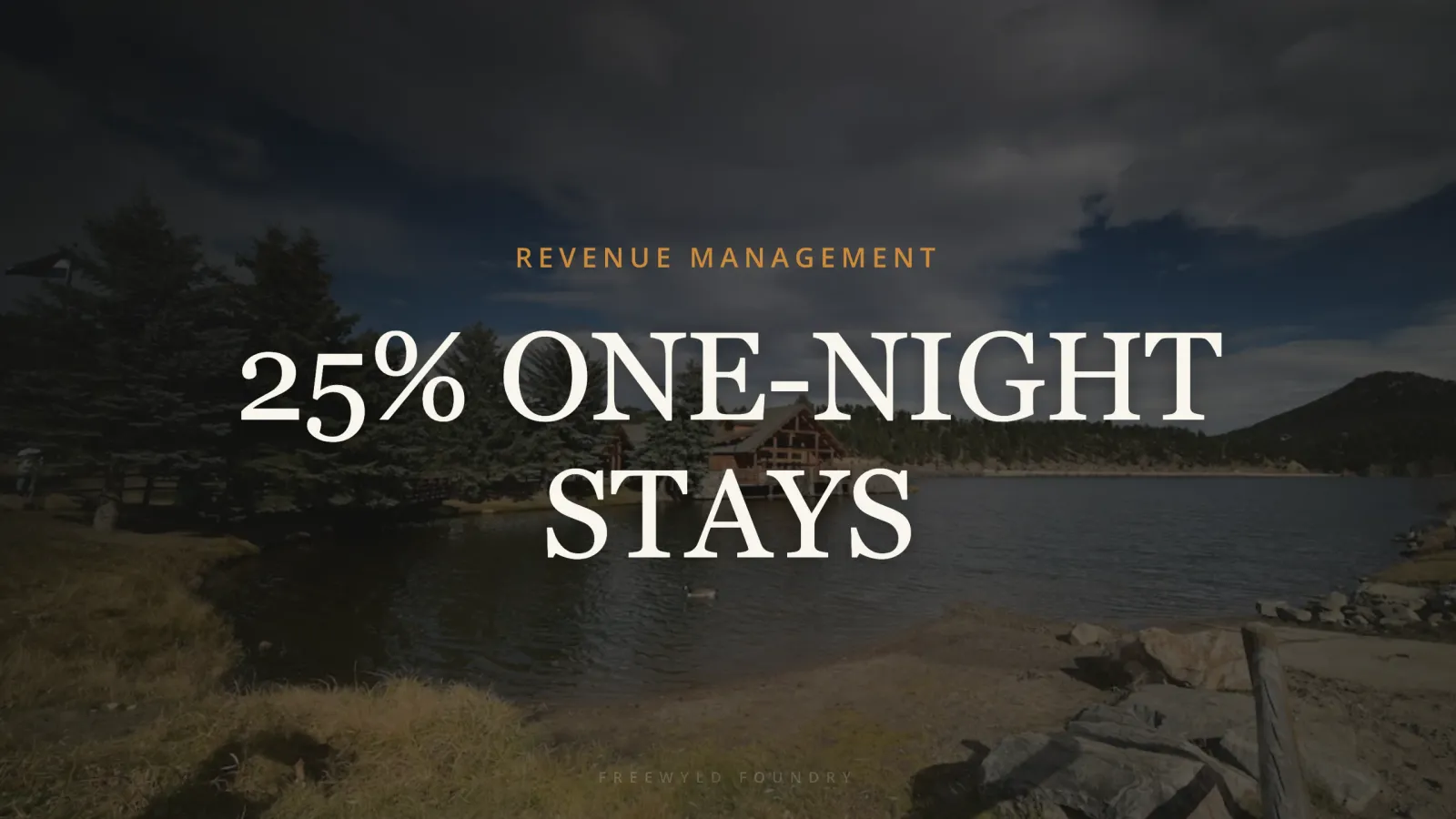
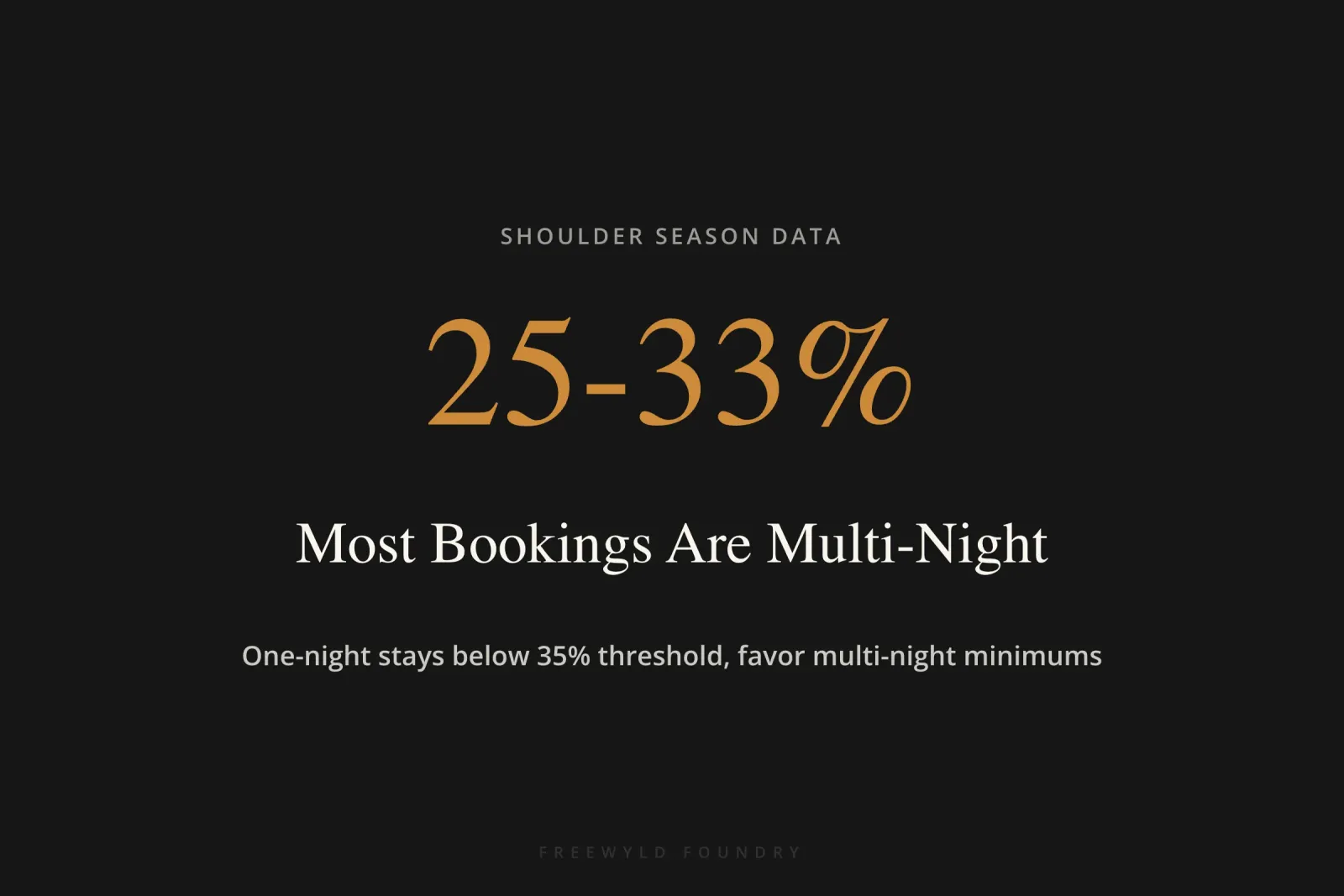
The reasoning behind that isn’t a black box. The AI cited two specific numbers from the market’s own data: one-night stays made up only 25 to 33% of short-stay bookings in that season, below the 35% threshold it uses for recommending a 1-night minimum across the board. And on weekends specifically, two-night stays were by far the largest booking group, which is what kept the Friday/Saturday minimum at 2 nights rather than higher.
“The pain typically weighs heavier than the gain. As human beings, we’re more driven to avoid pain than to seek gains.”
- Jasper Ribbers, Freewyld Foundry
The 21-day release window follows the same logic in reverse: it’s based on when one-night stays in that market tend to get booked. If most of them show up in the final three weeks before arrival, opening the 1-night minimum earlier than that mostly just risks a stray one-night booking blocking off a weekend you’d otherwise fill with a longer stay.
Setting Up Minimum Stay Profiles in PriceLabs
Once you have the recommendation, putting it into PriceLabs is a short, mechanical process:
Step 1: In PriceLabs, go to Customizations, then Profiles, then Minimum Stay Profile.
Step 2: Click Create Profile for each recommended profile (MS Shoulder, MS High, MS Low, MS Long Weekend, MS Holiday, or whatever Claude named them), using the exact names Claude gave you. You can ask it to rename them first if you’d rather use your own naming convention, just keep the names consistent between the profiles and the seasonal profile upload in the next step.
Step 3: Download the updated seasonal profile CSV that Claude generates, which has the correct minimum stay profile name already filled in for each season.
Step 4: Upload that CSV directly into PriceLabs under your Custom Seasonal Profile for that listing. Once it’s in, every season on your calendar is already pointed at the right minimum stay profile, no manual matching required.
Check-In and Check-Out Restrictions for Holidays
Minimum stay profiles aren’t the only thing worth setting at the seasonal level. On the seasonal profile screen in PriceLabs, there are three buttons that let you add check-in and check-out restrictions to a specific season.
That’s useful for holidays where a same-day turnover is hard to staff. Blocking check-ins on January 1st or December 25th, for example, solves a real operational problem: it’s difficult to get a cleaning team out on those specific days, and this is a cleaner way to enforce it than adjusting the calendar manually every year.
One thing to know ahead of time: these restrictions are set to a day of the week, not a fixed date, so they carry forward automatically but need a small check each year. If New Year’s Day falls on a Friday this year, it’ll fall on a Saturday or a Thursday next year, and the restriction needs to move with it. The fix takes a minute: once the holiday passes each year, go back into the check-in/check-out profile and shift it to the correct day before the next cycle comes around.
Why Most Operators End Up Too Restrictive With Their Airbnb Minimum Night Stay Strategy
Minimum stay rules run into the same psychological bias that shows up in cancellation policy decisions: the downside is visible and the upside isn’t.
If a guest books Thursday through Saturday and your Saturday night goes unsold because nobody wanted a single-night stay that week, you feel that directly. It’s a specific, countable loss. But you never see the flip side: all the extra bookings you picked up precisely because your minimum stay was loose enough to let them in. That demand doesn’t show up anywhere as “bookings you wouldn’t have gotten with a stricter rule.” It just shows up as bookings.
That asymmetry is exactly why gut-feeling minimum stay settings skew restrictive. The pain of one blocked night registers. The gain from a dozen extra short bookings across the year doesn’t register the same way, because you never see it broken out as a number. Looking at your booking window and length of stay data is what corrects for that bias, because it replaces a feeling with a measurable share of bookings you’d otherwise be turning away.
Common Mistakes to Avoid
- Using one minimum stay rule for the whole year. A single setting, applied everywhere, is never going to fit both your slowest week and your busiest holiday equally well.
- Tying your minimum stay to days until check-in instead of season. A rolling 30/60/90-day window ignores whether that 30-days-out date happens to be January or Christmas week.
- Setting a minimum stay above your market’s most common weekend booking length. If 2-night stays are your biggest weekend group, a 3-night weekend minimum mostly just turns away bookings you’d otherwise win.
- Forgetting that holiday check-in restrictions shift annually. Since they’re pinned to a day of the week, not a date, a restriction that’s correct this year will be off by a day or two next year if nobody updates it.
- Letting AI output go live unchecked. The prompt gives you a strong, data-backed starting point, it isn’t a substitute for reviewing the reasoning and applying your own house rules before anything goes into your live calendar.
How to Implement This in Your Own Calendar
Step 1: Pull your length of stay and booking window trends report from PriceLabs Market Dashboards (or the equivalent export if you’re on another pricing tool), going back a full year.
Step 2: Get the free prompt at freewyldfoundry.com/ai-kit and run it in a new Claude chat with your length of stay export and seasonal profile.
Step 3: Review the recommended profiles and the reasoning behind each one against what you already know about your market and any house rules that aren’t negotiable.
Step 4: Create each named minimum stay profile in PriceLabs under Customizations, Profiles, Minimum Stay Profile.
Step 5: Upload the updated seasonal profile CSV so every season points to the correct minimum stay profile automatically.
Step 6: Add check-in and check-out restrictions for any holidays where same-day turnover is a real operational problem.
Step 7: Set a yearly reminder to revisit holiday-based restrictions and shift them to the correct day of the week.
Frequently Asked Questions About Airbnb Minimum Night Stay Strategy
What is an Airbnb minimum night stay strategy?
An Airbnb minimum night stay strategy is the set of rules that control the shortest booking length guests can choose for a property, usually varying by season and by how far out a guest is booking. A data-driven version sets those rules based on how guests in your specific market book, rather than a single default applied to the whole calendar.
How do I build an Airbnb minimum night stay strategy with AI?
Export your length of stay and booking window trends data from PriceLabs Market Dashboards, then run it, along with your seasonal profile if you have one, through a free AI prompt built for Claude. The AI analyzes the data and returns named minimum stay profiles for each season, along with the reasoning behind each recommendation.
What if I don’t use PriceLabs for my minimum stay strategy?
The same approach works with Beyond, Wheelhouse, or any other pricing tool. You’ll need to find the equivalent length of stay export in your platform, since the PriceLabs API itself doesn’t expose this specific report, it has to be downloaded manually either way.
How many minimum stay profiles do I need for my Airbnb?
Most markets land on around five: a shoulder season profile, a high season profile, a low season profile, a long weekend profile, and a holiday profile. That structure fits most portfolios because nearly every market has those five demand patterns, even if the exact dates differ.
Why do check-in restrictions for holidays need updating every year?
Because they’re set to a day of the week rather than a fixed calendar date. A holiday like New Year’s Day falls on a different weekday each year, so a check-in restriction built around “no check-ins on Friday” needs to move to whatever day the holiday lands on the following year.
Should I ever set a 1-night minimum across my whole calendar?
Only if the data supports it. One signal worth checking: if one-night stays make up 35% or more of your short-stay bookings, a 1-night minimum applied broadly may fit your market better than a stricter rule. Below that threshold, a 2-night minimum with a shorter last-minute release window usually performs better.
Ready to stop leaving money on the table?
Get your free revenue report and we’ll analyze your property’s performance and show you exactly where your pricing strategy can improve. We manage $220M+ in bookings across 4,000+ listings, and we’ll show you what’s possible with professional revenue management.
Listen to the Full Conversation
This article was informed by a conversation on the Get Paid for Your Pad podcast, where Jasper Ribbers builds a minimum night stay strategy live, prompt and all, using real PriceLabs market data.
Related Articles
- Minimum Night Stay Mistakes Costing Airbnb Hosts Thousands Monthly
- Seasonal Pricing for Airbnb: How to Build a PriceLabs Seasonal Profile With AI
- PriceLabs Setup Guide: 7 Hidden Features Most STR Operators Miss
- 5 Revenue Management Mistakes Costing STR Operators Money
- How to Learn Revenue Management: 3 Pillars Every STR Operator Must Master