From Guessing to Data-Driven: How to Track STR KPIs

Want to outperform the market? Freewyld Foundry’s Revenue & Pricing Management service is driving an 18% performance lift for $1M+ STR operators, even in down markets. If you’re managing 10+ listings and want a free pricing audit, apply here →
Most STR operators track revenue religiously. They check their dashboards daily, celebrate when numbers go up, and panic when they dip. But here’s the problem: they’re often tracking the wrong metrics, tracking them incorrectly, or comparing numbers that can’t actually be compared.
In this episode, Jasper Ribbers pulls back the curtain on how Freewyld Foundry tracks performance across 3,500+ listings managing $170M+ in annual bookings. You’ll discover why your “total revenue” number is lying to you, how to make fair comparisons when your portfolio changes monthly, and why beating last year isn’t good enough if the market grew faster than you did.
This is the exact system we use to manage revenue for operators doing $1M+ in annual bookings.
You’ll learn:
- Why net rental revenue beats total revenue as your North Star metric (and how cleaning fees distort your performance by 50% or more)
- The three comparison angles you need for accurate performance tracking (vs last year, vs previous months, vs market)
- How to identify which units are actually “comparable” year-over-year (12+ months of data is just the starting point)
- Why you need separate dashboards for comparable and non-comparable units
- Which KPIs actually matter for decision-making (occupancy, ADR, RevPAR, market penetration index, RevPAR index, booking window, length of stay)
We also talk about:
- How to use PriceLabs Market RevPAR YoY percentage to measure market performance
- Why calendar blocks of 7+ days kill your visibility on the remaining days
- The Combined Listings feature for tracking multi-unit properties correctly
- How to diagnose underperforming listings (pricing vs marketing vs distribution vs reviews)
- Why making profit on cleaning fees complicates your entire pricing strategy
Mentioned in the Episode:
- From Guessing to Data-Driven: How to Track STR KPIs
- 5 Revenue Management Mistakes Costing STR Operators Money (And How to Fix Them)
- The STR Pacing Playbook
Subscribe for more episodes every Monday on YouTube, Spotify, and Apple Podcasts.

The STR Pacing Playbook
A step-by-step guide to tracking and using pacing data to optimize your short-term rental pricing strategy.
Download Free GuideContinue Listening

Midterm Rentals with Frank Bosie: The Revenue Strategy Already Happening in Your Portfolio
Frank Bosie of Hostfully joins Jasper to break down the data behind midterm rentals, including why 39% of STR operators already have 30+ night bookings, how the occupancy math works, and when the hybrid approach beats a hard minimum-stay strategy.

August 2026 STR Market Update: 16% Growth While the Market Declined 2.5%
Jasper shares the full August market update including July portfolio results (16.3% YoY growth vs. a 2.5% market decline, $2.1M in additional client revenue), the top winning and declining markets, the Labor Day weekend shift, Airbnb's AI pricing model and new mobile discount, VRBO sponsored listings, OTA discount stacking risk, and what operators should focus on heading into shoulder season and low season.

Secrets of a Pro STR Revenue Manager to Maximize Your Revenue
Jasper sits down with Patrick Morton, one of Freewyld Foundry's revenue managers, for an inside look at the pricing tactics, listing optimization moves, and team strategies that are moving the needle for STR operators every day.
Why Most Operators Track Results Wrong
Jasper: If you're not tracking results effectively, then you're not really managing revenue. You're more guessing. In this episode, we're going to dive into how to track results. So keep listening.
Welcome back to another episode of Get Paid for Your Pad. It is Monday, so we're doing an episode of Rev Up, where we give you a look behind the scenes of Freewyld Foundry's revenue management practices. And today we are going to talk about how to track results.
Now, obviously, tracking results is extremely important. Like everyone will understand that. However, what we've noticed is that from all the operators that we work with and operators that have applied for our revenue management service, what's very clear to me is that a lot of operators, they understand that they have to track results, but they don't really know what to track. They don't really know how to track it. And they also don't really know how to make decisions based on the results that they're measuring.
So in this episode, I am going to aim to give you guys a sort of a structure to follow, guidelines to follow, to make sure that you're tracking the right KPIs, that you're tracking it in the right way, and that you will be able to make better decisions based on the results that you're tracking.
The Three Levels of Tracking
Jasper: So first off, let's talk about what we can track. We can talk about the KPIs, but also we need to understand how do we actually measure these KPIs, right? Essentially, there's three ways to track results on a portfolio.
Number one is on the listing level. So you look at results every single month. I definitely recommend that you have a monthly meeting or maybe not meeting, maybe it's just you, but you should every month, you should look at the results from the previous month. Right now we're at the start of March, so this is a good time to review the results for February. And you should do that for every single listing.
Obviously, the most important reason why you should look at every single listing is because that way you can spot listings that are not performing as well. And those listings, obviously, you need to look into like, what's the reason that they're not performing? Is it a pricing problem? Is it a marketing problem? Is it a distribution problem? There's multiple reasons why a listing might not be performing.
It could be that you've had some negative reviews. It could be that the listing needs to be updated. It could be that we need to list it on some different platforms. There's a lot of different reasons why a unit might not be performing. And so it's very important that every month you look at each individual listing and see which ones are not performing.
Learning from Your Winners and Losers
Jasper: But also you want to look at the ones that are overperforming and you want to figure out like, why are those units doing so well? Is it an amenity that you've added? Is it something that you changed on the listing side? Is it something that you changed on the pricing side? This is all information that you can learn from. And so very important to track KPIs on a listing level.
Now, in PriceLabs, there are several sections where you can track KPIs. There's the KPI and historic reports. Now, those reports are usually best for portfolio level or group level KPIs, because if you want to look at listing level, you have to select each individual listing. And that's just very time consuming.
But in the report section, there's, for example, there's a leaderboard where you can review KPIs for any given month. And you can also build custom reports to track the performance of your individual units.
Portfolio Level Tracking and Market Adjustment
Jasper: Now, secondly, there is portfolio level KPIs, right? You want to look at your portfolio as a whole. You want to look at how your portfolio was performing compared to last month, compared to last year. You also want to compare to the market. So portfolio level KPIs obviously are really important because that gives you an idea of how your business is performing as a whole.
Now, there's a couple of challenges with looking at portfolio performance, because if you have the same portfolio as a year ago, then it's really easy to compare the performance of your portfolio versus last year, right? Because versus last year is definitely one of the most important ways to look at a portfolio, because if your portfolio is underperforming compared to last year, then obviously that's a reason for concern.
Another thing that's really important is that when you look at portfolio level KPIs, you want to adjust for how the market performed that month. So for example, let's say you look at your performance of your portfolio and you notice that you're up 10% revenue. Well, that sounds great. But if the market is up 20%, then you're really lagging by roughly 10%, right? So it's very important to look at the market.
How to Measure Market Performance
Jasper: Now, how do you measure how the market is doing? Now, in PriceLabs, there is an easy way to do that because PriceLabs has a KPI that's called market RevPAR year over year percentage. That will tell you for each individual listing, you know, how did similar listings in that area, how did they perform compared to last year, right?
So PriceLabs automatically will put together a comp set and based on that comp set, they'll give you a percentage and that's an indication of how much is the market up or down. And obviously this is not 100% accurate data because this is scraped data and PriceLabs doesn't know when there's a block in the calendar. They don't know if that's a direct booking or if that's just a block. They can only get the data from VRBO and from Airbnb.
So these market numbers are estimates, but in general, they seem to be fairly accurate, right? They're not going to be 100% accurate, but they're going to be fairly accurate for the most part. Now, if you're in a market where there's very little similar listings in the area, then the numbers might be a little bit less accurate. But if you're in a market where there's plenty of inventory that PriceLabs can compare to, then those numbers should be fairly accurate.
And, you know, this is the same for any pricing tool really, because they all kind of use the same data to estimate how the market's doing, right?
Building Custom Comp Sets
Jasper: Now, you can also create your own custom comp sets, of course, because how we define the market is really up to you. You can take the standard, the comp set that PriceLabs create, but you can also create your own comp sets in the market dashboard. So there's different ways that you can look at that.
But again, if you're in a market where there's plenty of inventory to compare to, then the standard number that PriceLabs generates in the report is, you know, I'd say that's usually good enough to give an idea of, you know, how the market's doing.
And there's other tools, of course, that you can look at. You can look at AirDNA, but AirDNA takes the same data as PriceLabs does. So, you know, most likely going to find the same result.
You can also use other tools. KeyData is a great tool to look at. KeyData has real data because they connect with operators. They actually get real data from operators. But the disadvantage of KeyData is that it's going to be a small subset of the entire market, right? Because KeyData only has the data from the PMSs of their clients. So oftentimes that's only like 15, 20, maybe 25% of the market. And also, obviously, then you're comparing to the more professional segment of the market as well, right?
So there's pros and cons to each. But the most important thing is you want to have some idea of, you know, how similar units in your area are doing. And you have to adjust and take that into account when you're looking at your own performance.
The Comparable Units Challenge
Jasper: Now, the biggest challenge when you're looking at portfolio-wide KPIs is if your portfolio changes. If you're adding new units every month, then it's really difficult to compare apples to apples. So what we do at Freewyld Foundry, we created a custom dashboard where we download all of the KPIs. And we create a custom dashboard where we have two sections. We have one section that we call comparables and we have one section that we call non-comparables. And that way we can compare apples to apples.
And so what is a comparable listing? A comparable listing is a listing that has at least 12 months of data, preferably a little bit more. Because if you want to compare, for example, February's performance compared to last year, if you have units that weren't active in February, then you can't compare. It's very simple. So those units where you don't have data from last year, they should be excluded.
Now, if you started those units in January or February, they were very new. So you might want to exclude them as well. And there can be other reasons that you might want to exclude certain listings.
The Bookable Nights Factor
Jasper: Like, for example, let's say you have a listing that was active last year. But last year, the owner of the unit stayed there for two weeks and it was only open for two weeks. Now, you can't really compare it to this year. Because if your revenue increased 50% year over year for that unit, then that might seem like a good result. But if then you realize, hey, last year it was only open for two weeks out of the four, then now suddenly that 50% doesn't look so good.
So we have to track. This is a KPI that you can pull from PriceLabs. It's called Bookable Nights. So we look at Bookable Nights this month. We look at Bookable Nights last year in the same month. And if there's a big difference, then we don't count that unit as a comparable.
Now, there could be other reasons as well that the listing might not be comparable. For example, let's say you received a one-star review last month. That will probably tank your revenue. So can you still compare it to last year? Is it still comparable?
Well, it is comparable in the sense that it's the same unit. And, you know, you're probably going to see a lower revenue because of this one-star review. However, you want to make sure that based on that, you know, drawing conclusions when it comes to the pricing strategy, right?
When Bad Reviews Distort the Data
Jasper: So obviously, if the unit got a one-star review on Airbnb, your revenue is probably going to be down compared to last year. But it doesn't mean that your pricing strategy is not good because the reason that the unit's underperforming is not necessarily the pricing strategy, but it's the bad review that you got on Airbnb.
So it's very important to every month to go listing by listing. That's something that we do for all of our portfolios. Every month we review all of the listings in our clients' portfolios. And we decide, hey, which of these units can make a fair comparison to last year?
Now, obviously, you don't just want to compare to last year. That's just one way of comparing. You also want to compare to the markets. There's a KPI in PriceLabs that's really useful for that. It's called the RevPAR Index. So that's a KPI that you want to look at.
Multiple Comparison Angles
Jasper: You also want to look at different months, right? So, for example, you can compare January to February to March as long as you adjust for seasonality. So let's say in the market, in January, the RevPAR was 50 for similar listings. And in February, RevPAR was 60. That means that February in the market was 20% stronger than January.
So if your February is 30% stronger than January, then February was a better month for you. Now, if you compare it to last year, maybe last year in February, you had an exceptional month. And so your February this year might be not as good as last year, but it still might be better than the performance of your portfolio in January.
So there's many different ways that you can look at, can compare your performance, the performance of your portfolio. There's multiple ways of comparing. Comparing to previous months, comparing to the market, and compare to last year's results.
So it's really important to look at the performance from those different perspectives, because at the end of the day, that's going to give you more information. It's really a way to understand what's driving revenue. And you'll find out things that you otherwise would overlook.
Real Example: The Underperforming Unit Mystery
Jasper: One example is, let's say, let's go back to on the unit level, right? Like we have a portfolio, for example, where every single unit was beating last year, except for one. And so the logical question from our client is then, hey, why did all of our units outperform, but this one unit was down 20%? Is there a problem with this unit? What do we have to do to get this unit back on track?
And so when we looked at our dashboard, it became very clear to us why this unit was underperforming versus last year. It's because last year, somebody booked like three or four months in advance. Somebody booked the entire month. And when someone books the entire month, three or four months in advance, so very early in the booking window, the price is going to be pretty high.
And so that is an anomaly. That's not going to happen every year. You can't expect somebody to book the entire month very early in the booking window. And so when we looked at the performance of this unit and we compared it to similar units in the portfolio, we compared it to last month. It actually turned out that the unit actually performed pretty well.
So if you only look at versus last year, you're not going to get the full picture, right? So that's why it's important to look at the performance of your portfolio, the performance of your listings, and the performance of your comparables from multiple different angles. So you can get as much information as possible.
More Information Equals Better Decisions
Jasper: And more information is better decisions in your revenue management, right? Because revenue management is making decisions based on uncertainty. So the more information that we can get, the better our decisions.
So very important to look at comparable units when you compare it to last year. Now, that part is probably the trickiest part because, again, you really have to go listing by listing and decide which of the listings can we make a fair comparison. And so it's not really possible to do that inside of the pricing tools typically.
And PriceLabs does have a functionality where in the report section and in the KPI section, you can select units that were active for at least a certain amount of time. That's one of the options that you have as a filter. So that's definitely something that you can do. But that way you can filter out listings that weren't active, you know, last year, for example.
Building a Custom Dashboard
Jasper: But you still need to look at individual listings and decide if there's any other reason why the performance might be not 100% comparable. And that is very hard to do inside of PriceLabs. So that's why we built a custom dashboard where we download the data from PriceLabs. And then we get very nitty gritty, you know, really looking at every individual listing and deciding, you know, how can we compare this to last year? Can we not compare it? Or, you know, what factors do we need to take into account?
So that's probably the hardest part.
The Core KPIs You Need to Track
Jasper: Now, going into the KPIs that you want to track. Now, the obvious KPIs, occupancy, ADR, RevPAR, and revenue. Those are the four kind of standard KPIs, if you will.
Now, RevPAR is a very interesting KPI because RevPAR takes into account available nights. So if you have a unit that didn't last year, it was maybe had like a one-week owner stay. And this year, it doesn't have that owner stay. You could still compare the RevPAR because the RevPAR is going to spread out the revenue over the available days.
So your RevPAR might actually be the same, even though you last year you had a one-week block. But your revenue is probably going to be higher, right?
RevPAR's Hidden Limitation
Jasper: So by looking at RevPAR, you can kind of filter out any unavailable dates. However, it's still not a completely fair comparison because calendar blocks tend to reduce visibility. And so if you have a significant amount of your month blocked, it's going to affect the revenue that you're going to generate on the other days as well.
So typically, we see if there's a block more than seven days, it's going to affect the other days. Those other days are going to be harder to fill. So even though RevPAR takes into account available days in your calendar, you still want to exclude any properties that have a week or more as a block. I'd say you still want to consider that because it's still not really going to make it comparable.
Total Revenue vs Net Rental Revenue
Jasper: Now, when it comes to revenue, there is an important distinction. I don't know. Is that a word? That you have to make because generally there's two KPIs that you can look at when it comes to revenue. There's net rental revenue and there's total revenue.
Now in PriceLabs, total revenue essentially means the payout, your payout. So it includes cleaning fees, includes any other fees, and it also includes the OTA commission that gets subtracted, right?
Now this depends a little bit on the PMS though. What we've seen is we probably work with about 15 different PMSs and most of the PMSs will display the host payout as total revenue in PriceLabs at least. But some PMSs, they do it differently where total revenue, it might be the net rental revenue plus the cleaning fees, but it might not subtract the OTA commission.
So it's very important to know if you're using PriceLabs or if you're using a different pricing tool. It's very important to know that when you look at revenue, what does that revenue actually include? You have to make sure that you really understand that.
Why Net Rental Revenue Is the Better Metric
Jasper: But, you know, that begs the question like what revenue is the best revenue to track when it comes to performance? Well, in our opinion, net rental revenue is the best KPI to track. What do I mean by net rental revenue? What I mean by that is the nightly rate that the guest pays. Excluding any type of fees except for the extra guest fees because extra guest fees, that's part of the nightly rate.
But, you know, it shouldn't include like a pet fee or a cleaning fee because those fees are pass-throughs essentially, right? You receive the money, but then you pay it as an expense to your cleaning crew. So it's not real revenue that's going to drive to your bottom line.
And so when it comes to performance, if you look at total revenue, if you look at like the amount of money that you receive from the different platforms, that's going to include that cleaning fee and other fees if you charge them. And that's going to distort the picture of how your portfolio is performing.
The Cleaning Fee Distortion Example
Jasper: So as an example, let's say last year in February, you generated $3,000 of total revenue. And let's say this year you generated $2,000 of total revenue. Then you might think that this year you underperformed by 50%.
But what if last year you had 30 one-night bookings? And let's say you have a cleaning fee of $75. That means you've collected $3,000 in cleaning fees, right? So you really didn't make any money at all.
And then this year, if you have one booking for the entire month and your payout was $2,000, now that payout, there's only one cleaning fee included in that. So that's going to be a lot more rental revenue, a lot more revenue for you than the bookings that you got last year, right?
Now, of course, this is an extreme example. You're never going to have 31-night bookings with no revenue, of course. But it's just to show that when you look at total revenue, it's going to be highly influenced by the amount of bookings that you had and the cleaning fee that you charge.
But if you look at net rental revenue, that net rental revenue is going to define how much money you make as an owner of a property or even as a manager, unless the cleaning fees is part of your revenue model, right?
When Cleaning Fees Aren't Break-Even
Jasper: There are some operators who will charge $100 cleaning fee, but their real cost of cleaning is only $50. So they actually make $50 on every clean. So if you have a model where the cleaning fees aren't a wash, but you're actually making money or maybe you're losing money on it, then you will have to take that into account.
But in general, our advice is to roughly have the cleaning fee be equal to the actual cost of the cleaning. Because if you deviate far from that, then it's going to influence your pricing structure. Because if you know that you're going to be making $50 on every single booking, now that favors, you know, shorter bookings. And so you have to build that into your pricing model, which complicates your pricing strategy.
And it's always best to keep your pricing strategy as simple as possible because then it's easier to understand and it's easier to measure and it's easier to see if there's any concerns. So keep your pricing strategy as simple as possible. And, you know, just charging a cleaning fee that's roughly the same as the cost of cleaning makes a lot of sense.
Market Penetration Index
Jasper: So that's about revenue. Now, another KPI that we like to track is market penetration index. And the reason that we like to track that is, of course, we track it for pacing, but we also track it for when we look at historical data.
Because occupancy, of course, is a good metric. But if your occupancy in February was 40% and last year it was 35%, then you might feel, okay, we did pretty good in February. You know, our occupancy increased by 5 percentage points, which is nice. But then if the market was actually booked 50%, then you're still underperforming compared to the market, right?
So that's why the market penetration index is useful because if the market penetration index, and as a reminder, that's your occupancy divided by the market occupancy. So if you're at 40 and the market's at 50, then your market penetration index is going to be 80% or 0.8, okay?
So that's why it's important to track market penetration index. Generally, you want that to be at least 100. We don't really want to have less occupancy than the market because that generally just does not lead to maximum revenue. So that's an important measure to track.
Additional Important KPIs
Jasper: You know, there's other KPIs that you want to look at. You know, length of stay is a KPI that you want to look at. And booking window is a KPI that you also want to look at because you want to understand, hey, what was my booking window for last month? What was the booking window in the market? What was my booking window last year?
Because booking window tells you a lot about pacing. And by looking at the booking windows and by looking at your results, you can get an understanding of like, what's the optimal booking window? And that will define your market penetration index targets. And so we won't go too deep into that on this episode. But there's plenty of episodes where I talked a lot about pacing, how to measure it. And so we won't go too deep into that.
Now, some other KPIs that you might want to track. It's really the ones I mentioned are really the main ones. Occupancy, ADR, RevPAR. You can look at total revenue and net rental revenue if you want. But as I mentioned, net rental revenue is really the most important one. And then length of stay, booking window, market penetration index, and then RevPAR index.
Understanding RevPAR Index
Jasper: RevPAR index is an important KPI to track as well. Because as I mentioned, that will give you an understanding of how your units are doing compared to the market. So for example, let's say a unit has a RevPAR index of 80%. That means that your RevPAR was 20% lower than similar listings in the market.
However, you want to be a little bit careful when you do that. Because you have to take into account the quality of your product. So PriceLabs, with the RevPAR index calculation, it just looks at similar sized properties. So if you have a two-bedroom, it's going to look at two bedrooms. But you might have a budget unit. And the other two bedrooms in the market might be higher quality. So then your RevPAR index is probably going to be lower. And that doesn't necessarily mean that your listings aren't performing well.
So that's one thing that you have to keep in mind. If you have a better product, your RevPAR index is also going to be higher. And of course, you can make custom comp sets in your market dashboard or if you're using PriceLabs. But other pricing tools also have different ways of building comp sets that you can compare to.
Quick Summary of the System
Jasper: So high level, those are tips on how to track revenue. So again, as a quick summary, there's three levels that you want to look at. You want to look at listing level. You want to look at comparable units. And you want to look at portfolio level.
And depending on your portfolio, you might also want to look at different groups. For example, if you have units in multiple markets. Or maybe you have a big building that has eight apartments. And you also rent out the entire building. Then you might want to create a group. You probably already have a group defined or a segment or whatever it is in your pricing tool. But you might want to look at these KPIs as well based on the building level.
Handling Multi-Configuration Properties
Jasper: And if you do have these type of buildings where you rent out the entire building or parts of the building and the individual units. Then you got to make sure that you're tracking the KPIs correctly. Because having multiple configurations that clients can book might distort the KPIs. If you look at the individual listings. If you have a master listing that only gets booked two or three times a year. Then obviously all the KPIs are going to be looking really bad.
So PriceLabs has a nice functionality. That's on the request. But if you go to manage listings. There should be a tab that says combined listings. If you don't have it, you can just contact support. It'll activate it for you.
Combined listings is a functionality where you can basically say that the KPIs for a master listing have to flow into the individual units. So for example, for us at Freewyld, we have four cabins. But we also rent out the entire village. So if somebody books the entire village, the KPIs, the revenue, the occupancy, everything will flow down to the individual units. Because we have it set up as a combined unit structure.
So by using that combined functionality, the KPIs are going to be easier to compare.
Multi-Level Configuration Limitations
Jasper: Now, if you have multi-level master units. For example, you have a building that has eight individual units. And you rent out the entire building. But you also rent out the first floor and the second floor. Now it's going to be a little bit more tricky. Now you're going to have to build a custom Excel sheet. Because PriceLabs can only combine the KPIs on one level.
So you could, for example, combine the individual units with the first floor and the individual units on the second floor. But then the entire building is not going to be combined with those. You can't combine multiple levels. Not yet. Hopefully in the future you will. But not right now.
Final Summary and Next Steps
Jasper: So those are the different levels that you want to look at. You want to look at compared to last year. You want to look at compared to previous months. And you want to look at compared to the markets. And the most important KPIs to track are occupancy revenue. Make sure you look at net rental revenue. That's a better KPI typically than total revenue. You look at ADR. You look at RevPAR. Look at market penetration index. RevPAR index. Look at booking window. Look at average length of stay. Those are the most important KPIs to track.
So with that said, that's it for today. Again, if you are interested in having us manage your revenue. Or if you're interested in finding out where you can improve in your revenue management strategy. Then feel free to apply for a free report at freewyldfoundry.com/report. We'll do a nice report for you. We'll put it in a nice looking presentation. We'll walk you through it. And we'll let you know where you can improve. What the potential of your portfolio is. And if we think it's a win-win to work with us. Then we'll let you know as well how that would work.
So freewyldfoundry.com/report. That's where you can get all the info. With that said, have a great week. And we'll be back next week with another episode of Rev Up. See you later.
Related Articles
Midterm Rentals for STR Operators: The Data, the Math, and How to Start
Midterm rentals are already happening in most STR portfolios. 39% of short-term rental operators have received at least one 30+ night booking. Here is the data, the occupancy math, and how to be intentional about it without abandoning your short-term rental business.
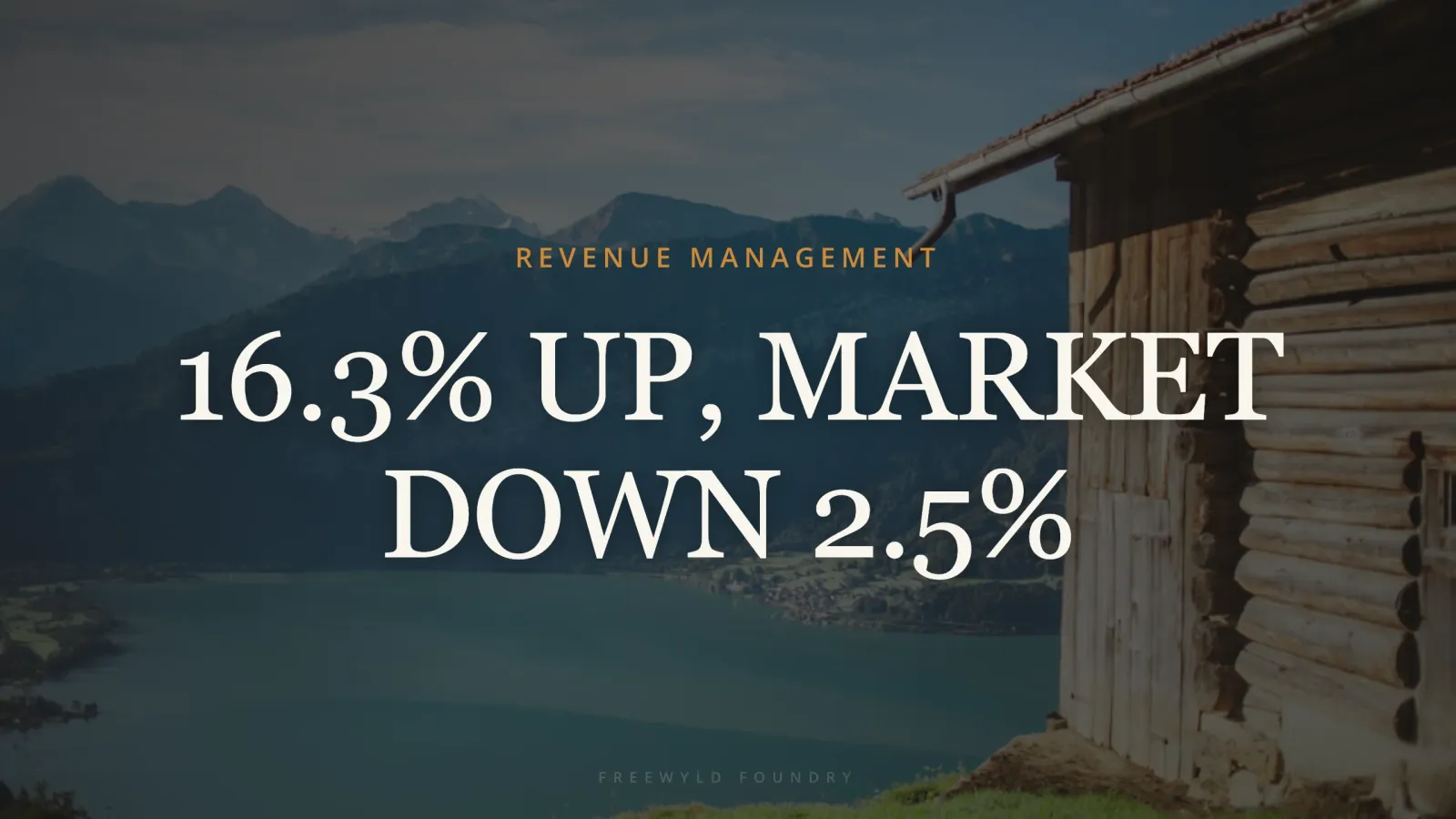
STR Market Update August 2026: 16.3% Growth While the Market Fell 2.5%
August 2026 was the highest-impact month in Freewyld Foundry history. Comparable client listings grew 16.3% year over year while the broader market fell 2.5%. Here is what drove that gap, which markets won and lost, what Airbnb and VRBO just changed, and what every STR operator should be doing right now heading into shoulder season.

How to Increase Airbnb Revenue: 5 Tactics From a Full-Time STR Revenue Manager
Most operators cap their prices, skip amenity audits, and discount when bookings slow down. A professional STR revenue manager does the opposite, and the results show it.