You’ve probably heard that dynamic pricing is the key to maximizing your Airbnb revenue. And that’s mostly true. But here’s what nobody tells you: turning on a pricing tool and walking away is not dynamic pricing. It’s automated guessing.
Dynamic pricing on Airbnb means adjusting your nightly rates in real time based on demand, competition, seasonality, local events, and booking patterns. Done well, it captures the full value of every night on your calendar. Done poorly, it gives you the illusion of optimization while quietly leaving 15-30% of your revenue on the table.
At Freewyld Foundry, we manage over $153M+ in bookings across 3,000+ properties for 62 clients. We use dynamic pricing tools every single day. But we also layer human strategy on top of those tools, because that’s where the real outperformance comes from. In January 2026 alone, our managed portfolio outperformed the broader market by 17.2%.
This guide covers everything you need to know about dynamic pricing for Airbnb: what it actually is, how the tools work, where they fall short, how to set them up correctly, advanced strategies most hosts miss, and when it makes sense to bring in professional help.
Key Takeaways
- Dynamic pricing adjusts your Airbnb rates based on real-time demand, competition, and seasonality. It replaces static pricing with data-driven rates for every night on your calendar.
- Pricing tools like PriceLabs, Beyond Pricing, and Wheelhouse handle the tactical execution. They’re essential infrastructure, not optional extras.
- Tools alone aren’t enough. They can’t interpret booking windows, diagnose listing quality problems, capture full event pricing upside, or manage pacing across a portfolio.
- The biggest mistake hosts make isn’t choosing the wrong tool. It’s treating the tool as a complete solution instead of a starting point.
- Advanced strategies like orphan day management, booking window analysis, event pricing, and minimum stay optimization require human judgment on top of automated pricing.
- Operators using both a pricing tool and active revenue strategy consistently outperform those using either one alone by 15-30%.
- If your portfolio generates $1M+ annually, the cost of “good enough” pricing is likely $100K-$200K in missed revenue per year.
What Dynamic Pricing Actually Is (and Isn’t)
Let’s start with the basics, because there’s a lot of confusion here.
Dynamic pricing means your nightly rate changes based on conditions. A Tuesday in February doesn’t have the same demand as a Saturday during Fourth of July weekend. Dynamic pricing accounts for that difference automatically, adjusting your rate up when demand is high and down when demand is low.
This is the opposite of static pricing, where you set one rate (or maybe a “summer rate” and a “winter rate”) and leave it alone for months. Static pricing almost always underperforms because it can’t respond to what’s actually happening in your market right now.
Here’s the thing: dynamic pricing isn’t just about raising rates during peak periods. It’s equally about knowing when to lower rates strategically to capture bookings you’d otherwise miss, while staying above your cost floor so every booking remains profitable.
What dynamic pricing is not: a magic button that maximizes your revenue with zero effort. The tools that power dynamic pricing are sophisticated, but they’re still just tools. They process data and apply rules. They don’t think strategically. They don’t know your market the way an experienced operator does. And they definitely don’t question whether their own settings are wrong.
Think of it like GPS navigation. The GPS calculates a route based on available data. But it doesn’t know about the construction that started yesterday, the shortcut through the neighborhood, or the fact that you need to stop for gas. You still need a driver.
How Dynamic Pricing Tools Work
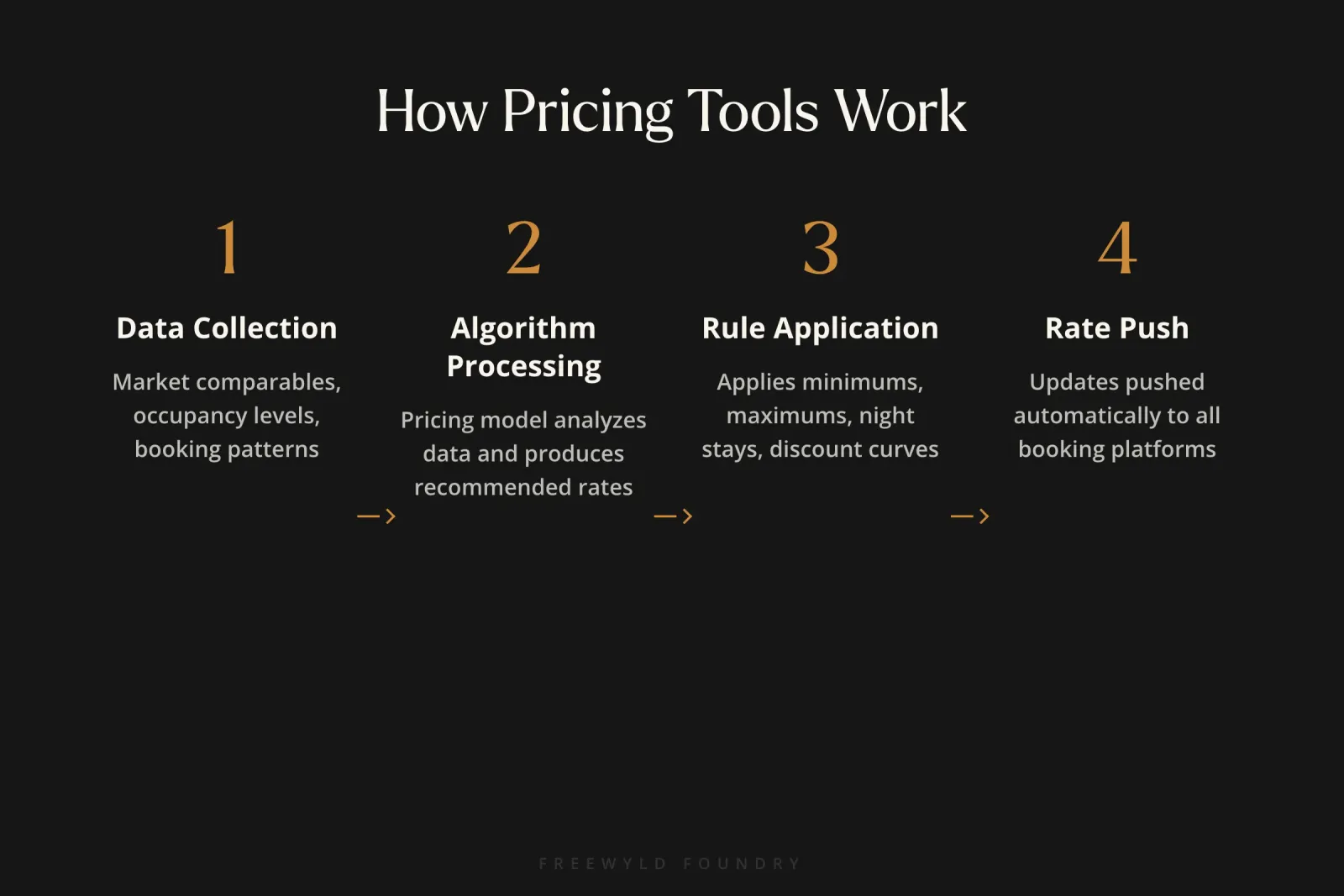
Dynamic pricing tools connect to your Airbnb (and other OTA) calendars through API integrations. They pull in market data, apply pricing algorithms, and push updated rates to your listings automatically. Most update daily or even multiple times per day.
Here’s the basic process:
1) Data collection. The tool gathers information about your market: comparable listings, current occupancy levels, historical booking patterns, seasonal trends, and sometimes event calendars. Tools like PriceLabs and Beyond Pricing pull from millions of data points across their user base and public listing data.
2) Algorithm processing. The tool runs your property’s data through its pricing model. Each tool has a different approach to this. Some weight historical patterns heavily. Others prioritize real-time supply and demand signals. The algorithm produces a recommended rate for every night on your calendar.
3) Rule application. Before pushing rates, the tool applies any rules you’ve set: minimum and maximum price limits, minimum night stays, seasonal adjustments, day-of-week modifiers, and last-minute discount curves.
4) Rate push. The final rates get pushed to your connected platforms. Your Airbnb listing, VRBO, Booking.com, and any direct booking site all get updated automatically.
This happens continuously. As new data comes in, rates adjust. A sudden spike in search demand for your area might push rates up within hours. A wave of cancellations might trigger downward adjustments.
The automation piece is genuinely valuable. At Freewyld Foundry, we couldn’t manage 2,800+ listings without it. No human team can manually adjust thousands of rates across multiple platforms every day. But the automation is the foundation, not the finished product.
The Limits of Automation: Why Tools Alone Aren’t Enough
This is the part most hosts don’t want to hear. You’ve invested in a pricing tool, configured the settings, and watched it work. It feels like the job is done. Right?
Not quite. Here are the specific gaps that even the best dynamic pricing tools can’t close on their own.
Booking Window Blindness
Your pricing tool doesn’t understand when demand actually materializes for specific dates. It reacts to what’s happening now, but it can’t proactively position your pricing based on booking window patterns.
Here’s an extreme example. Imagine 100% of guests booking your property for Christmas make their reservation in October. If October 28th arrives and your Christmas dates aren’t booked, you have maybe 2-3 days before the window closes entirely. Dropping your price in December won’t help. The demand already went to your competitors who were priced right when the window was open.
A pricing tool doesn’t track booking windows. It doesn’t know that your summer booking window shifted three weeks earlier this year. It doesn’t alert you when you’re behind pace for a key period. That analysis requires someone looking at the data with intent.
Listing Quality Problems
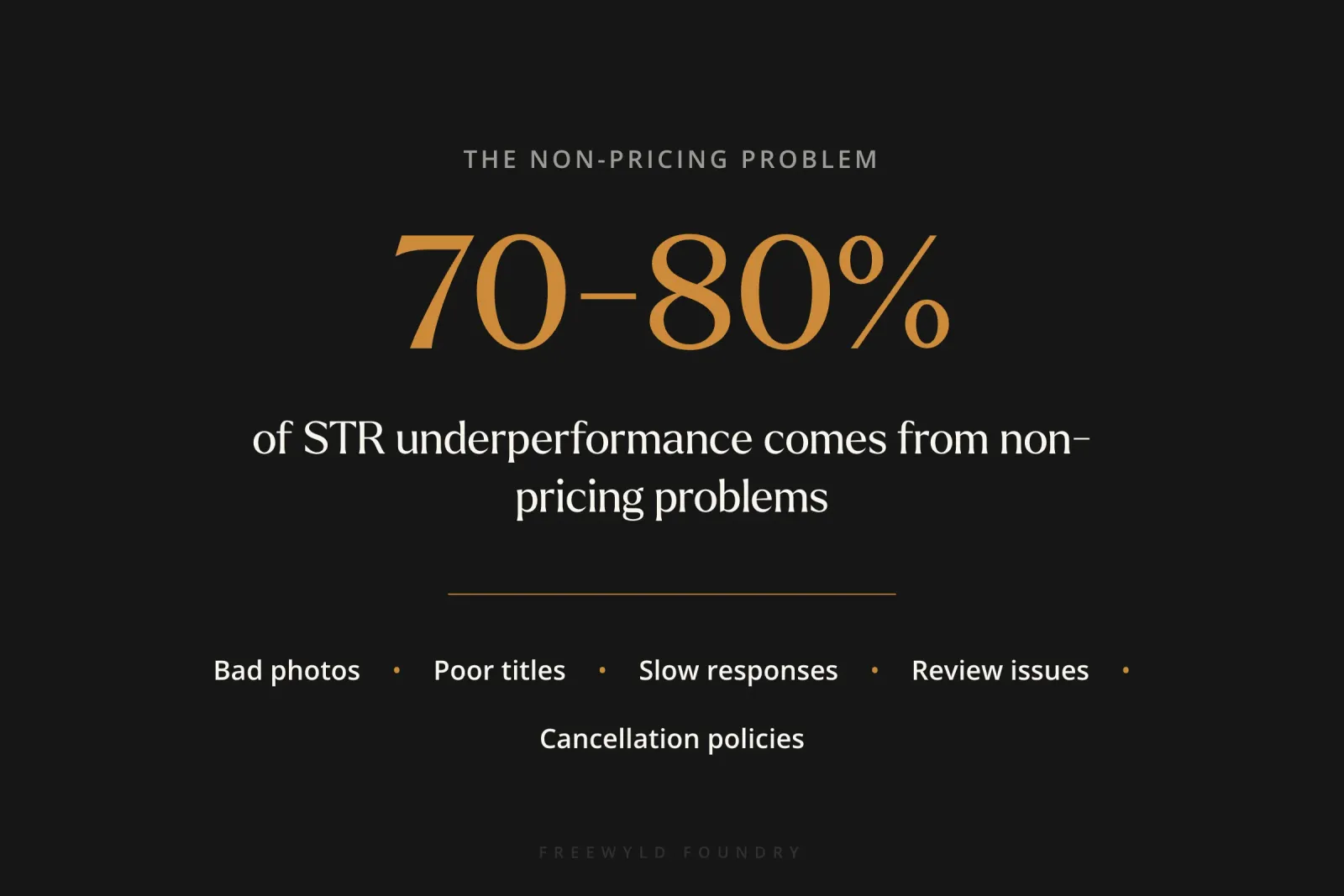
Here’s a stat that surprises most operators: 70-80% of underperformance in STR portfolios comes from non-pricing problems. Bad photos. A title that doesn’t convert. A cancellation policy that scares guests away. Slow response times. Poor review management.
Your dynamic pricing tool will faithfully adjust rates on a listing that’s fundamentally broken. It will lower prices week after week trying to generate bookings, when the real issue is that your main photo shows a dimly lit bedroom with an unmade bed. The tool can’t diagnose that. It just keeps discounting.
Event Pricing Gaps
Major events create demand spikes that can push rates to 5-10x normal levels. Your tool might partially capture this from market data, but it almost always underprices the true peak.
We’ve secured World Cup bookings at $1,718 per night for properties that normally book at a fraction of that. A pricing tool with a conservative price ceiling would have left thousands on the table from a single reservation. Events like these require manual attention, bold pricing, and the conviction to hold rates when the algorithm wants to discount.
Pacing Mismanagement
Pacing compares your current forward-looking occupancy against the market’s forward occupancy data. It tells you whether to hold firm on pricing or get more aggressive. If you’re pacing 30% ahead of the market for a holiday weekend, you have pricing power and should consider raising rates. If you’re 20% behind, you need to act before the booking window closes.
No major dynamic pricing tool offers meaningful pacing analysis. They look at supply and demand signals, but they don’t compare your forward-looking occupancy against the market’s forward occupancy. That’s a critical gap, because pacing is one of the most reliable indicators of whether your pricing is right.
Portfolio-Level Strategy
When you manage 10, 20, or 50+ listings, some properties compete with each other. Some markets in your portfolio are softening while others are heating up. Deciding where to push rates and where to prioritize fill, how to handle a new competitor who just launched 10 similar properties, when to adjust your minimum night stay strategy across the portfolio: these are strategic decisions that no algorithm makes.
Setting Up Dynamic Pricing Correctly
If you’re using a dynamic pricing tool (and you should be), the setup is everything. A misconfigured tool doesn’t just underperform. It actively automates bad decisions.
Here’s how to set things up right.
Step 1: Get Your Base Price Right
Your base price is the anchor for everything else. The algorithm adjusts up and down from this number based on market conditions. If your base price is wrong, every adjustment built on top of it is wrong too.
Don’t guess. Use comp set data from your tool or from AirDNA to identify where your property fits in the market. Factor in your property’s quality, location, amenities, and review score. If you have professional photos, premium furnishings, and 4.9-star reviews, pricing at the market median is leaving money on the table.
We’ve set base prices at $265 in markets with $173 medians, and those properties booked consistently. The tool won’t tell you to test that ceiling. You have to do it yourself.
Step 2: Set Smart Minimum and Maximum Prices
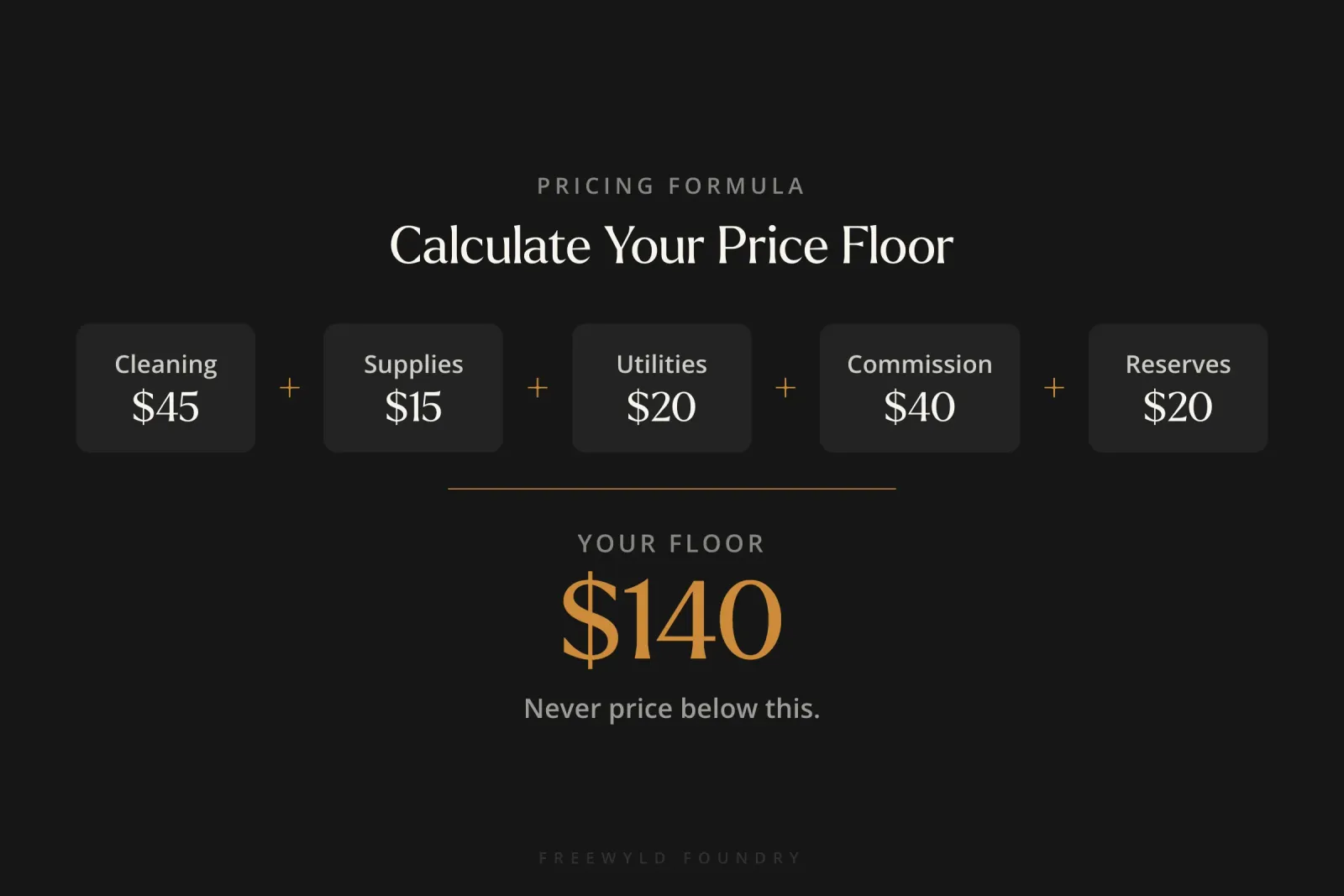
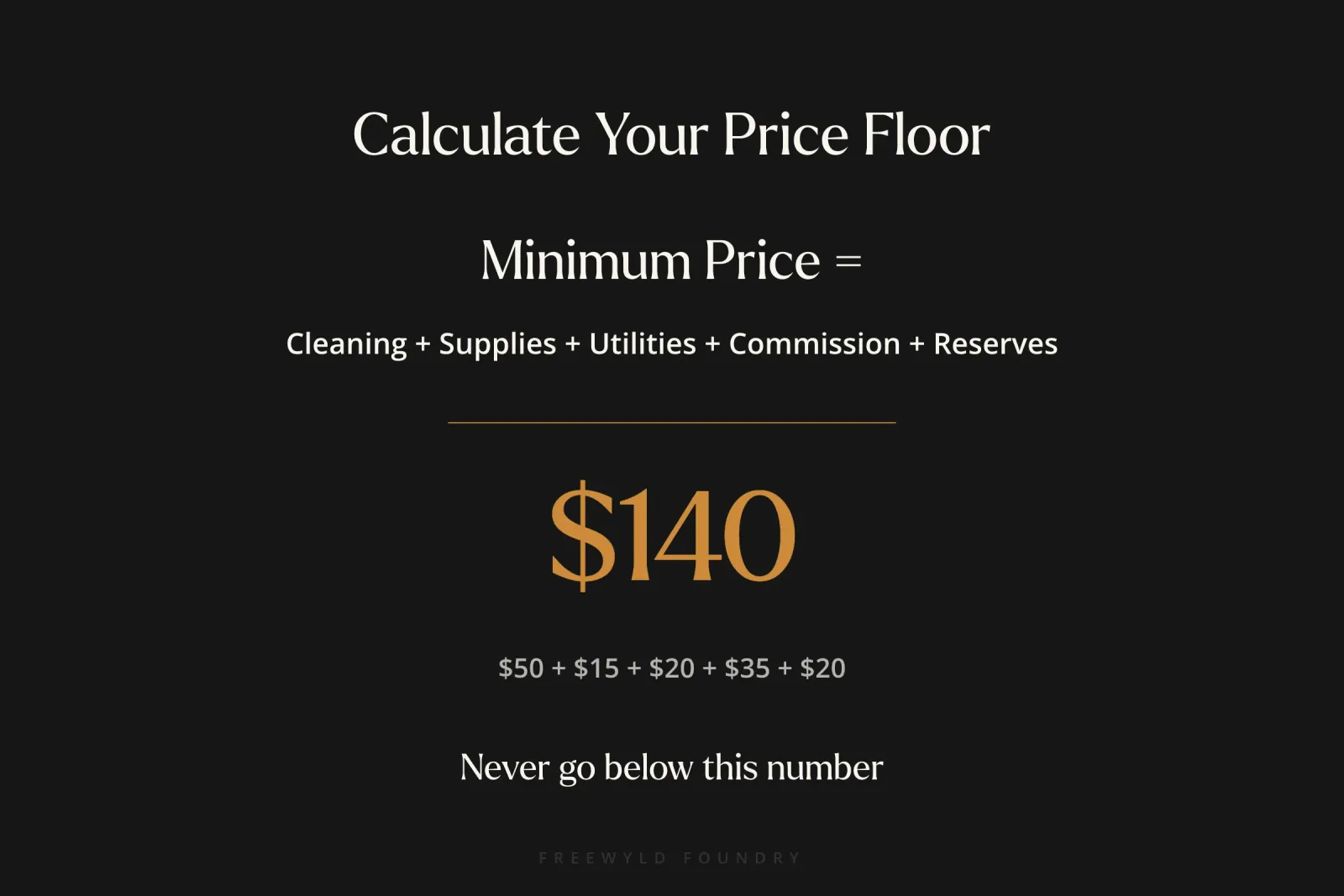
Your minimum price should be your cost floor: the nightly rate below which accepting a booking loses you money. Add up cleaning costs (your actual cost, not what you charge the guest), supplies, utilities, platform commissions, and wear-and-tear reserves. That’s your absolute floor. Never go below it.
Your maximum price is where most hosts get it wrong. They set a cap at whatever feels “reasonable” and leave potential revenue on the table during peak events. Start by removing your maximum price entirely, or setting it so high it only kicks in for truly extraordinary demand. Let the market tell you what your ceiling is.
Step 3: Configure Minimum Night Stays Dynamically
Static minimum stays are one of the biggest revenue killers in short-term rentals. A 3-night minimum makes sense on a peak summer weekend. It makes no sense on a Tuesday in February when you’d gladly take a 1-night booking.
Set up dynamic minimum stays in your tool: higher minimums during high-demand periods, lower minimums during slow periods, and orphan gap rules that automatically reduce minimums to fill unbookable 1 or 2-night gaps between existing reservations.
Step 4: Build Last-Minute Discount Curves
As check-in dates approach, the probability of booking decreases. Your tool should apply a gradual discount curve that gets more aggressive as unsold dates get closer. The key word is “gradual.” A sudden 40% drop two days before check-in trains guests to wait for deals and tanks your ADR over time.
A good discount curve might look like: 5% off at 14 days out, 10% at 7 days, 15% at 3 days, and 20% at 1 day. Adjust based on your market’s booking patterns. In some markets, last-minute demand is strong enough that you barely need to discount at all.
Step 5: Review and Adjust Monthly
This is the step most hosts skip, and it’s the most important one. Your market changes. New competitors enter. Events get announced. Seasonal patterns shift. Your tool settings need to evolve with those changes.
Build a monthly review cadence where you check your base prices against current market data, review your pacing for the next 90 days, and adjust your strategy based on what’s actually happening.
Advanced Dynamic Pricing Strategies
Once the basics are in place, these are the strategies that separate good revenue performance from great revenue performance.
Orphan Day Recovery
Orphan days are the 1 or 2-night gaps that form between existing bookings. If your minimum stay is set to 2+ nights, a 1-night gap becomes completely unbookable. We find orphan day problems in about 75% of portfolios we audit.
The fix: configure your tool to automatically drop minimum stay requirements when orphan gaps appear. Most tools support this. The revenue from filling even 50% of your orphan days adds up fast. On a 10-property portfolio, recovering orphan days can mean $10,000-$20,000 in additional annual revenue.
Booking Window Optimization
Different seasons have different booking windows. Summer bookings in a beach market might come 60-90 days out. Business travel bookings might come 7-14 days out. Christmas bookings in a mountain town might happen almost entirely in September and October.
Map your booking windows by season using your historical data. Then align your pricing strategy to each window. If you know 80% of summer bookings happen 45-90 days before check-in, that’s when your pricing should be at its most strategic. Discounting in June for July dates means the window already passed, and you’re fighting for scraps.
For a deep dive on this concept, check out our guide to STR revenue management secrets.
Event Pricing
Events are where the biggest single-booking revenue opportunities live. Conferences, festivals, major sporting events, and hidden holidays like long weekends all create demand spikes that your tool may partially capture but rarely fully prices.
Build an event calendar for your market. For each event, research historical demand impact and set manual price overrides well above what your tool suggests. Remove or raise your maximum price for event dates. Accept that some event-priced nights won’t book. The ones that do will more than compensate.
We’ve found that operators who manually override their pricing tool for major events capture 30-50% more revenue on those dates compared to letting the tool handle it alone.
Minimum Stay Strategy by Season
Your minimum stay rules should flex throughout the year. During peak demand, longer minimums (3-4 nights) reduce turnover costs and capture higher-value stays. During shoulder and low seasons, shorter minimums (1-2 nights) maximize fill.
The nuance: minimum stays also affect your booking window. A 7-night minimum in summer means you need guests willing to book a full week. That’s a smaller pool of potential guests who tend to book further in advance. A 2-night minimum opens you up to weekend warriors who book 2-3 weeks out.
Match your minimum stay strategy to both demand levels and your target booking window for each season. This isn’t something your tool optimizes automatically. It requires understanding your market and making deliberate choices.
Day-of-Week Adjustments
Not all days are created equal. In most leisure markets, Friday and Saturday nights command a significant premium over weekdays. In some urban markets, Tuesday through Thursday (business travel nights) are actually stronger.
Your tool should have day-of-week adjustments configured. But go beyond the defaults. Look at your actual booking data. What’s your occupancy rate by day of week? What’s your ADR? If your Tuesday occupancy is 40% while Saturday is 95%, that tells you exactly where to push rates (Saturday) and where to get more aggressive on fill (Tuesday).
Tool Comparison: PriceLabs vs. Beyond Pricing vs. Wheelhouse vs. Airbnb Smart Pricing
Here’s an honest breakdown of the four most common dynamic pricing tools for Airbnb hosts.
PriceLabs
Best for: Operators who want full control and are willing to invest time in configuration.
Strengths:
- Most customizable of the four. You can configure market dashboards, comp sets, minimum stay rules, orphan gap management, and dozens of other settings.
- Strong market data and portfolio-level dashboards.
- Transparent pricing logic: you can see why the tool is recommending a specific rate.
- Integrates with 100+ property management systems.
- Cost-effective, especially for larger portfolios.
Weaknesses:
- Steeper learning curve. New users often leave features unused because the interface isn’t intuitive.
- Can be overwhelming for operators with fewer than 5 listings.
- Requires active management to get full value. A “set and forget” approach with PriceLabs still underperforms.
Cost: ~$19.99/month per listing for the first listing, with volume discounts.
Beyond Pricing
Best for: Hosts who want simplicity and a “closer to done” setup experience.
Strengths:
- Clean, intuitive interface. Easier to get started compared to PriceLabs.
- Strong historical data integration and demand forecasting.
- Revenue management insights dashboard is well-designed.
- Health Score feature flags listings that need attention.
Weaknesses:
- Less granular control than PriceLabs. Fewer customization options for advanced users.
- Pricing model takes a percentage of revenue (typically 1-1.25%), which gets expensive as revenue grows.
- Fewer PMS integrations than PriceLabs.
Cost: ~1% of booked revenue.
Wheelhouse
Best for: Data-oriented operators who want deep analytics and comp set tools.
Strengths:
- Excellent comp set builder and market analytics.
- Transparent algorithm with the ability to see and adjust the weighting of different pricing factors.
- Good balance between customization and usability.
- Offers both “set it and forget it” and manual fine-tuning modes.
Weaknesses:
- Smaller user base means less market data in some regions.
- Interface can feel dated compared to Beyond Pricing.
- Some features only available on higher-tier plans.
Cost: Free base tier with limited features, paid plans at ~1% of revenue or flat monthly fee.
Airbnb Smart Pricing
Best for: Honestly? Almost nobody, if you’re serious about revenue management.
Strengths:
- Free. Already built into Airbnb.
- Zero setup required. It just works out of the box.
- Uses Airbnb’s own demand data, which is the most direct signal available.
Weaknesses:
- Heavily biased toward filling nights rather than maximizing revenue. Airbnb earns a commission on every booking, so their incentive is volume, not your ADR.
- Almost no customization. You set a min and max, and that’s about it.
- Consistently underprices compared to third-party tools. We regularly see Smart Pricing suggest rates 20-40% below what our managed properties actually book at.
- No orphan gap management, no minimum stay optimization, no booking window analysis.
- Doesn’t work across platforms. If you list on VRBO or Booking.com, Smart Pricing only adjusts your Airbnb rates.
My recommendation: Use Smart Pricing as a data point, not as your pricing engine. Turn it off and use a dedicated tool instead.
Common Dynamic Pricing Mistakes
After reviewing hundreds of portfolios, these are the mistakes we see most often.
1. Set It and Forget It
This is the number one mistake by a wide margin. An operator signs up for PriceLabs or Beyond Pricing, configures the basic settings, and never touches it again. Six months later, their base prices are outdated, their minimum stays haven’t been adjusted for season changes, and they have orphan gaps everywhere.
Dynamic pricing requires dynamic management. The tool handles daily rate adjustments. You handle weekly and monthly strategy reviews.
2. Price Ceilings That Cap Your Upside
Setting a maximum price of $400 because “nobody would pay more than that” is a guess, not a strategy. During peak events, guests absolutely will pay $600, $800, or $1,000+ per night for the right property. Your price ceiling should be high enough that it only limits truly unreasonable outliers, or removed entirely during major events.
3. Using the Wrong Comp Set
If your tool is comparing your luxury lakefront cabin to budget apartments 20 miles away, every rate recommendation will be wrong. Take time to define your true competitive set: 5-10 properties that match yours in size, quality, location, and target guest. This is one of the highest-impact configuration steps and one of the most commonly skipped.
4. Ignoring Orphan Days
A single 1-night gap between bookings that goes unfilled because of a 2-night minimum is pure lost revenue. Across a portfolio, orphan days add up to thousands of dollars per year. Configure your tool to handle orphan gaps automatically. Then verify it’s actually working by scanning your calendar weekly.
5. Panicking During Slow Periods
When bookings slow down, the instinct is to slash prices. But aggressive discounting during a slow period does two things: it attracts the lowest-value guests (who tend to leave worse reviews), and it trains the market to wait for deals.
Instead of panic discounting, diagnose the actual problem. Is it truly a demand issue, or is something else going on? Are your photos competitive? Is your listing showing up in search? Is your response time affecting your visibility? Often, the issue isn’t price. It’s everything around the price.
6. Optimizing for Occupancy Instead of Revenue
A property at 75% occupancy and $140 ADR generates $105 in RevPAR (revenue per available room). A property at 95% occupancy and $90 ADR generates $85.50. The first property makes more money, has fewer turnovers, lower cleaning costs, and less wear on the property.
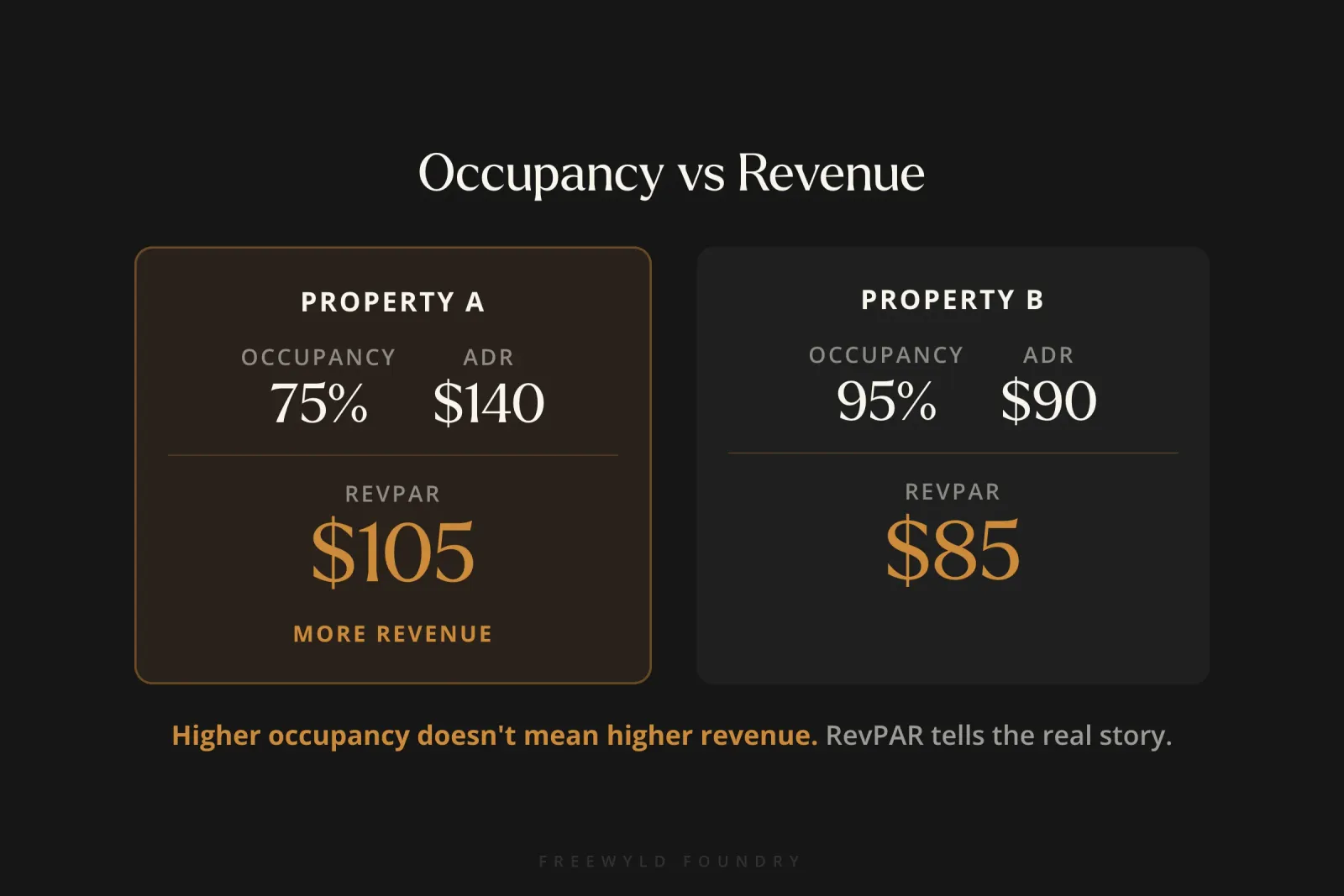
High occupancy feels good. It looks good on a dashboard. But RevPAR is the metric that actually tells the truth about whether your pricing strategy is working.
7. Not Tracking Performance Against the Market
If your revenue is up 10% year over year, that sounds great. But what if your market is up 20%? You actually underperformed by 10 points. Always measure your results relative to the market, not just against your own history. Your pricing tool can help with this if you’ve configured market dashboards and comp sets. If you haven’t, you’re flying blind.
Action Steps: What to Do This Week
1) Audit your current setup. Log into your pricing tool and check three things. Are your base prices based on current comp data, or a number you set months ago? Do you have orphan gaps hiding in your calendar? Are your minimum stay rules the same year-round?
2) Remove or raise your price ceiling. If you have a maximum price set, raise it by at least 50%. Or remove it entirely and see what happens during your next demand spike.
3) Configure orphan gap management. If your tool supports it (PriceLabs and Wheelhouse both do), turn on automatic minimum stay reduction for orphan days. This is the fastest revenue win for most hosts.
4) Review your bookings every single day. This doesn’t need to take long. Spend 5-10 minutes each morning looking at what booked overnight, what your pacing looks like against the market, and whether anything needs a manual adjustment. Then do a deeper 30-minute review once a week to check for upcoming events, listing issues, and strategic adjustments. Daily awareness is what separates operators who catch problems early from those who discover them too late.
5) Map your booking windows. Pull 12 months of booking data and look at the lead time for each season. When do most summer bookings come in? When do holiday bookings close? This information shapes everything from your pricing strategy to your marketing calendar.
6) Decide if you need help. If you’re managing 15+ properties and generating $1M+ in annual revenue, calculate what a 15% performance gap actually costs you in dollars. For most operators at that scale, the gap exceeds $150,000 per year. That’s the real cost of “good enough” pricing.
When to DIY vs. When to Hire a Revenue Manager
Dynamic pricing tools work well for smaller portfolios when the operator invests time in learning and managing them. But there’s a clear inflection point where professional revenue management starts paying for itself many times over.
DIY makes sense when:
- You manage fewer than 15 properties
- You can commit to reviewing bookings daily (5-10 minutes) plus a deeper weekly strategy session
- You’re willing to invest in structured education like Cashflow Mastery and build consistent review habits
- Your annual revenue is under $1M
Professional help makes sense when:
- You manage 15+ properties generating $1M+ in annual revenue
- You don’t have time for weekly pricing reviews (and you know you’re not doing them)
- You’re growing your portfolio and need scalable revenue systems
- You suspect you’re leaving money on the table but aren’t sure where
The math usually works like this: a revenue management service costs 1-5% of revenue. If that service generates even a 10% improvement in RevPAR, you’re net positive by a wide margin. On a $1M portfolio, that’s $100K in additional revenue against $10K-$50K in management fees.
Choosing the right revenue management partner matters a lot. Look for transparent reporting, a results guarantee (so you’re not paying for underperformance), and a team that actively manages your portfolio daily rather than running the same set-and-forget approach you could do yourself.
At Freewyld Foundry, we guarantee results. If we don’t raise your revenue, you don’t pay. That’s the kind of alignment you should look for in a revenue management partner.
Get a Free Revenue Report
If you’re managing 15+ properties and want to know exactly where your dynamic pricing strategy can improve, we’ll build you a free revenue report.
We’ll analyze your portfolio’s performance against the market, identify where your pricing tool setup has gaps, flag orphan days and minimum stay problems, and give you specific recommendations you can act on immediately.
Some operators take the report and implement the fixes themselves. Others decide they want our team managing revenue daily. Either way, you walk away knowing where your biggest opportunities are.
Get your free revenue report at FreewyldFoundry.com/get-started
Related Articles
- 5 Revenue Management Mistakes Costing STR Operators Money - The most expensive pricing errors we find in portfolio audits, with step-by-step fixes.
- 5 Revenue Management Strategies to Crush Your STR Goals - Proven strategies for maximizing RevPAR across your portfolio.
- Minimum Night Stay Mistakes Costing Airbnb Hosts Thousands - Why static minimum stays are killing your revenue, and how to fix them.
- The Last-Minute Pricing Trap: Why 80% Occupancy Doesn’t Mean High Revenue - How reactive discounting undermines your ADR over time.
- How to Choose the Right Revenue Manager for Your STR Business - Framework for evaluating DIY, in-house hire, or service provider options.
- Revenue Management Cadences: Daily and Weekly Routines That Drive Results - Build the review habits that turn pricing strategy into consistent execution.